Need help?
Do you have a question about the Work Pro LS-Core and is the answer not in the manual?
Hardware overview and specifications of the LS-1 lighting console.
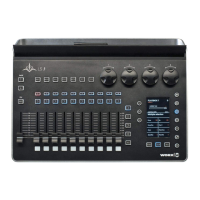
Hardware overview and specifications of the LS-Core lighting console.
Main view for fixture selection and control, divided into sections.
Area for controlling fixture attributes, divided into sections by parameter type.
Steps to add fixtures using manufacturer and model selection.
Procedure for specifying exact DMX addresses and universes for fixtures.
How to change the DMX address of an already patched fixture.
Steps to record a new Cue or add to an existing Cuelist.
How to play Cuelists using faders and the Playback Option Menu.
 General
| Brand | Work Pro |
|---|---|
| Model | LS-Core |
| Category | Lighting Equipment |
| Language | English |


 To Next Page