15
WARNING
The first time you connect is important that you change the WiFi password. Go to the
main menu on LightShark (on the top-left side of the screen) and click on the settings
icon and select the “NETWORK” tab to proceed with the required changes.
NOTE
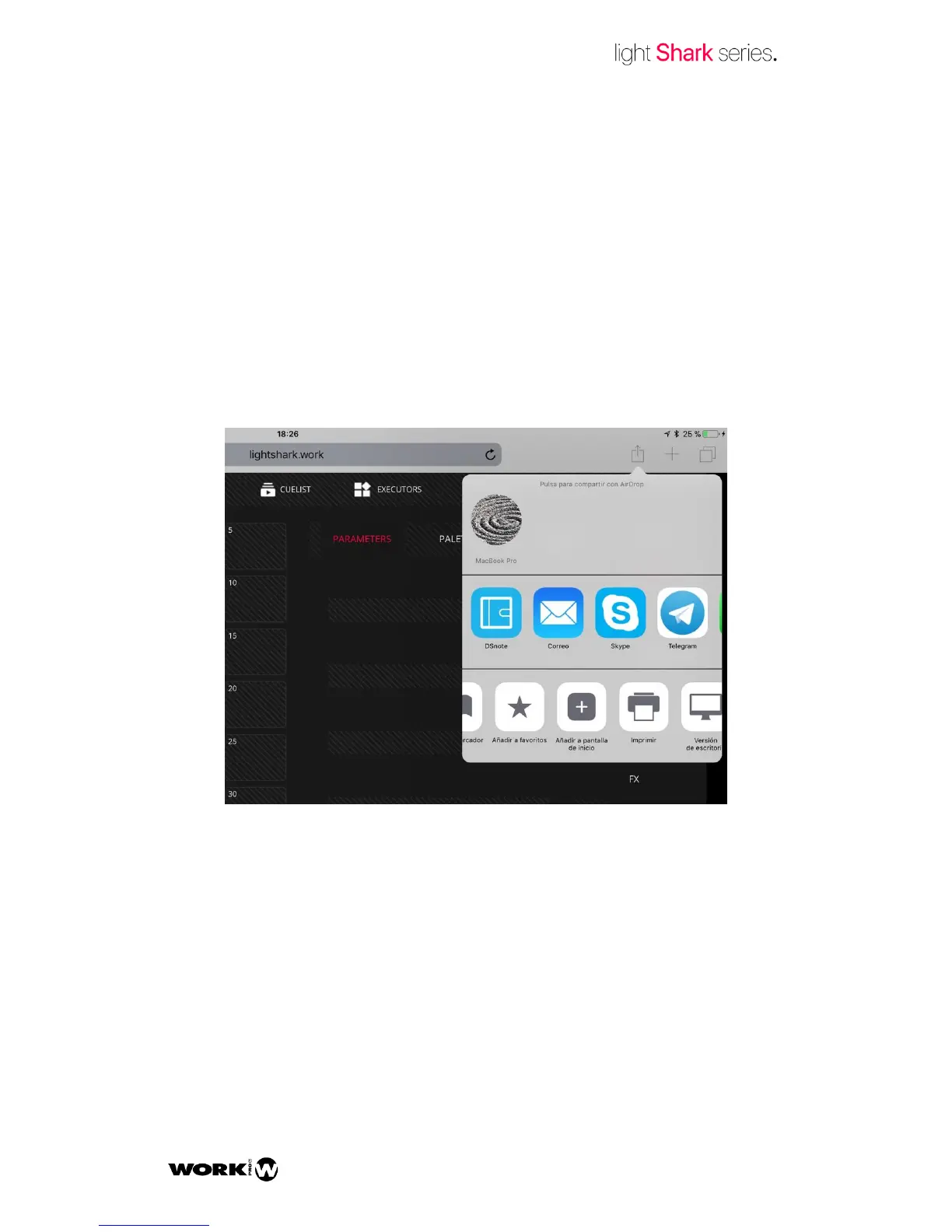
LightShark can run in full screen, hiding the navigation bar of the Web Browser, and it
can be launched as any other app.
1 Once connected to LightShark, press the Share button and the option “Add to Home
Screen”.



 To Next Page