21
LS-1 users may interact with the interface using the encoders and buttons, so each LS-
1 encoder controls one of the attributes displayed (the top parameter is controlled by
the first encoder on the left, and so on).
The information shown in this area is also shown on the LCD integrated screen of the
LS-1. It is possible to move between attributes using the physical attribute buttons on
the console, or scrolling on the interface.
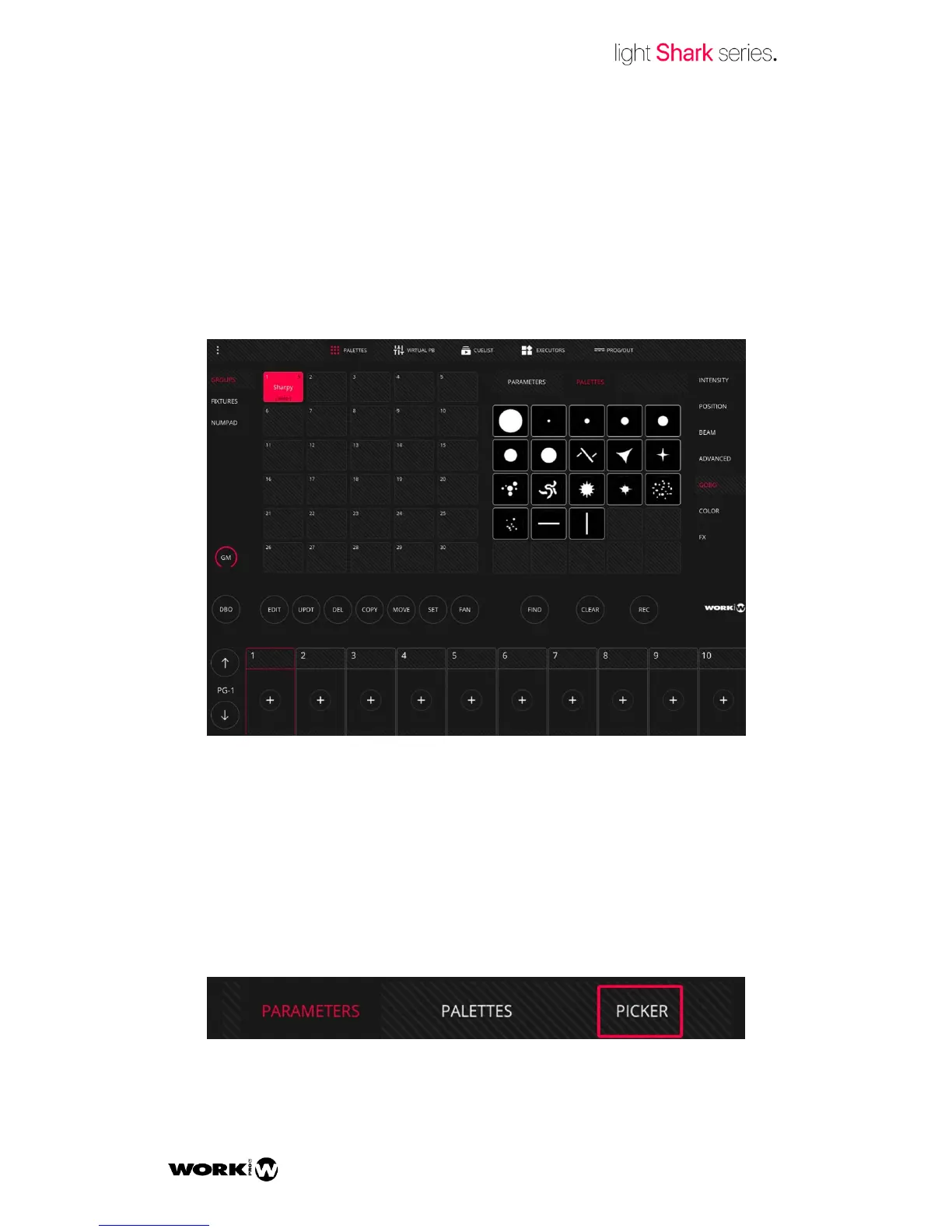
Each attribute has its own palettes. Some boxes will show the palettes defined by the
libraries. On the remaining boxes the user may record his own palettes.
Lightshark shows up to 25 palettes simultaneously. To access more palettes you may
scroll vertically or on the parameter window.
In the Position and Colour attributes, it is possible to see a third view as well as
“PARAMETERS” and “PALETTES”. The Colour Picker (colour) view and the coords
(Position) view.



 To Next Page