Powering the home office
Your home office uses an AC power supply and is powered by a standard wall outlet.
1. Insert the AC power supply into the device. The AC socket is at the back of the device.
2. Insert the wall plug into an appropriate wall outlet.
Opening the home office
Place your home office on a flat surface before use.
Do not place close to water or moisture.
Open the latches on both sides of the home office.
Open the cover of the home office. Be careful not to catch the cover.
Note: Close the cover and fasten the latch when you are not using the home office.
Keep it away from fire and water or other chemicals.
Using your laptop with the home office
Powering your laptop
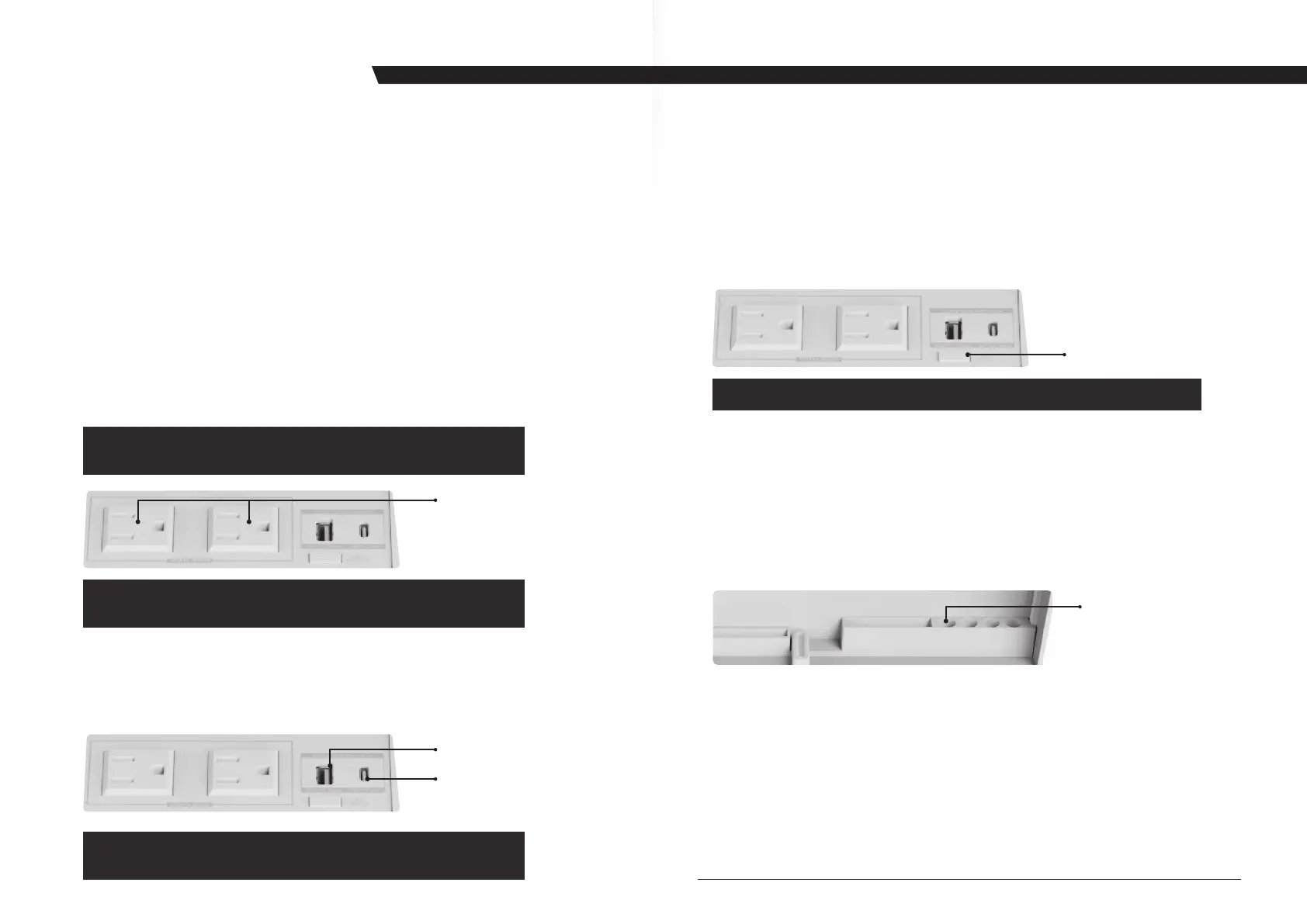
There are two AC output sockets available on the home office. You can supply power
to your laptop by plugging the power cord from your laptop into this power outlet.
Using the whiteboard
For convenience of use, on the inside of the lid is a whiteboard on which you can
record notes at any time. Use of this whiteboard requires a special whiteboard pen.
NOTE: If you accidentally use a different type of pen, clean off the writing with a wet
cloth dipped in alcohol.
On the underside of the whiteboard, there are options for placing your pen.
When you use the home office, you can insert the pen you are going to use into the
pen holder.
AC Output
Socket
LED On/Off Switch
Note: If you transport this work box with a laptop in it, secure the
laptop with an elastic band to prevent damage from agitation.
Note: You must first connect the home office to your home electrical
outlet and ensure that the power supply is normal.
Note: Turn off the LED light when you are not using the home office.
Note: You must first connect the home office to your home electrical
outlet and ensure that the power supply is normal.
Pen Holder
USING THE HOME OFFICE
Charging your external device
There are two USB ports for charging your external devices (such as mobile phones, etc.)
One is a TYPE-C output socket, another is the USB-A output socket. Please choose the
appropriate USB charging port according to the external device you need to charge.
As the specifications state that the max. total output for USB-A & USB-C is 2.1A. If the
USB ports are overloaded, the USB-C port takes priority, USB-C will charge and USB-A
will stop automatically. Only when devices in the 2 ports are within 2.1A , they can
charge at the same time. Otherwise, when it is overloaded, USB-C charges first and
then USB-A after C port is done.
Using the LED light
There is a string of LED lights on the inside of the lid. Press the LED switch to turn on
the light and press it again to adjust the brightness. To turn off the light, press the
LED switch.
USB A
TYPE C



 To Next Page