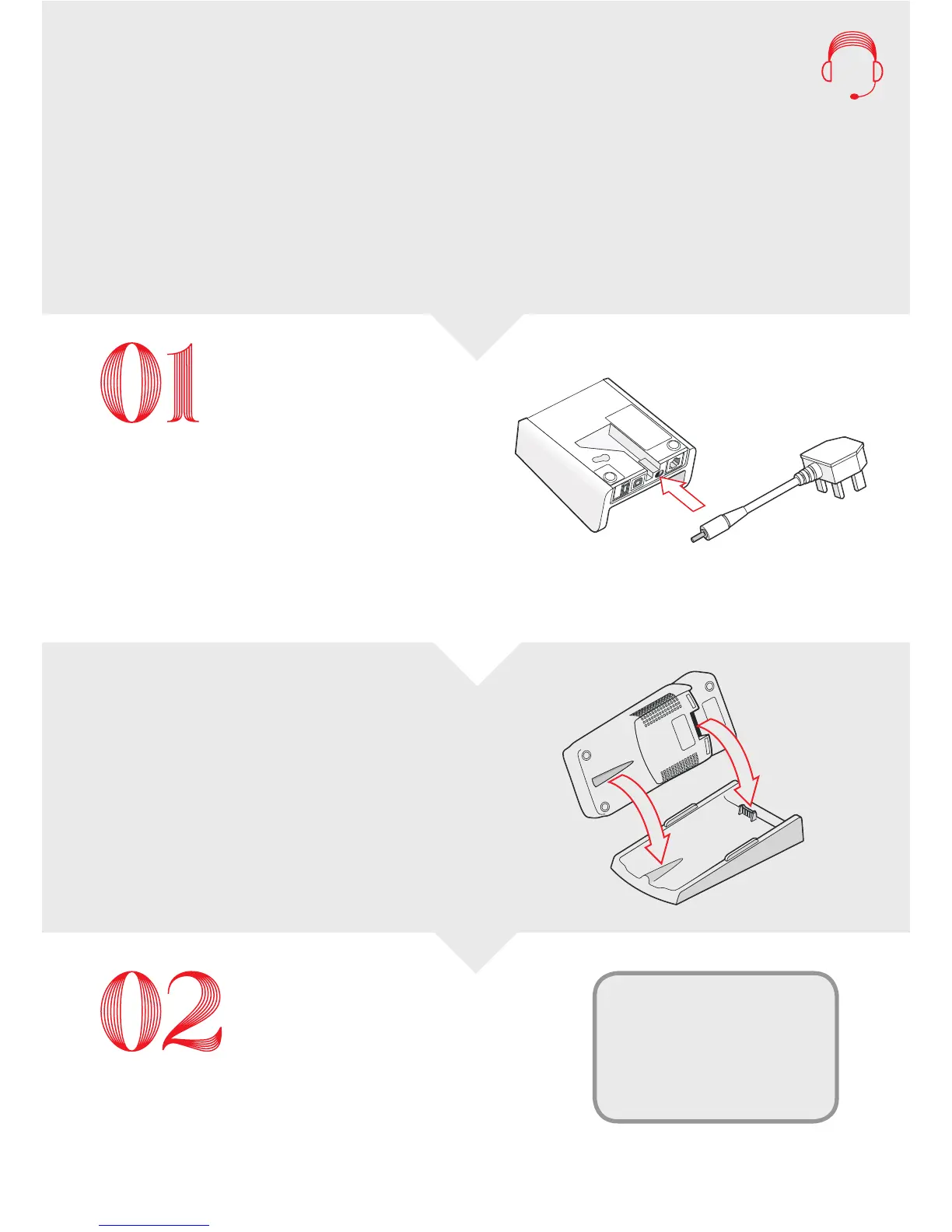
Power Cable
Need a hand? Call us on:
0345 761 6263 – UK
1800 242 636 – ROI
20044687 – GIB
If the power supply is not
connected, please insert
as shown.
Example images
Your terminal and power cable
A spare plug socket
Your Merchant Number (also known as
Customer Number, Merchant ID or MID).
It is 8 digits long and you can find this on
any correspondence we’ve sent you.
To begin your installation you will need:
Set up your terminal
Connect your base unit to the power.
Place the terminal on the
base unit
Allow your terminal to charge for at least 2 hours,
or until the baery icon shows it is fully charged,
before continuing with the next steps
Enter your Merchant Number
Your Merchant Number (also known as Customer
Number, Merchant ID or MID). You can find this
on any correspondence we’ve sent you.
Your Mobile Terminal
Installation Guide
Key in your Merchant Number and
press the GREEN ENTER buon
Terminal Installation
Key in your Merchant Number
And press ENTER



 To Next Page