EasyManua.ls Logo

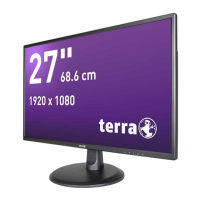
Wortmann TERRA LED 2747W - User Manual

Wortmann TERRA LED 2747W
17 pages
Print Icon
To Next Page IconTo Next Page
Loading...
LCD/LED 2747W

Questions and Answers

  • D
    daisyjohnsonAug 4, 2025
    How to fix a Wortmann Monitor with no image on the screen?
    • B
      Becky BallAug 4, 2025
      If your Wortmann Monitor displays no image, first ensure the power button is switched on. Then, check that the brightness and contrast settings are appropriately adjusted. Also, verify if the power indicator is orange, which suggests the monitor isn't receiving an input signal. If using a notebook or laptop, confirm the signal is switched to screen mode.
  • L
    libenjaminAug 11, 2025
    What to do if my Wortmann TERRA LED 2747W shows wrong or unusual colors?
    • D
      Douglas HopkinsAug 11, 2025
      If your Wortmann Monitor shows wrong or unusual colors, start by checking the signal cord to ensure it's properly connected. A loosely connected plug can cause a bad connection. If the issue persists, try connecting the monitor to another PC for comparison to identify if the problem is with the monitor or the original PC.
  • P
    Pamela FowlerAug 19, 2025
    Why does my Wortmann TERRA LED 2747W screen flash?
    • S
      Stephanie PhamAug 19, 2025
      If your Wortmann Monitor screen flashes, it might be due to insufficient or weak power. To resolve this, ensure that devices like speakers, fluorescent lights, AC transformers, and table fans are not placed close to the monitor, as they can interfere with the power supply.
  • P
    paynetimothyAug 27, 2025
    How to fix a non-focus image on a Wortmann TERRA LED 2747W Monitor?
    • Z
      Zachary LawrenceAug 27, 2025
      If your Wortmann Monitor image appears non-focused, ensure the image signal cable is properly inserted in an upright position.

Summary

Safety Precautions and Maintenance

General Safety Warnings

Key safety precautions for using and maintaining the monitor, including cleaning and placement advice.

Basic Setup

Connecting the Monitor

Instructions on connecting DVI/HDMI cables and power for initial setup.

Screen Image Setups

Monitor Functions - Display Adjustments

Monitor Functions - Image and Color

Monitor Functions - OSD Settings

Monitor Functions - System Reset

Reset to Factory Settings

Restoring the monitor to its original factory default settings.

Installing the LED Monitor

Troubleshooting Common Issues

Display and Focus Problems

Solutions for display issues like no image, fuzzy image, or screen flashing.

Technical Specifications

Monitor Dimensions and Performance

Details on screen size, brightness, resolution, power, and input connectors.

Wortmann TERRA LED 2747W Specifications

General IconGeneral
BrandWortmann
ModelTERRA LED 2747W
CategoryMonitor
LanguageEnglish