7
Pop-up Menu
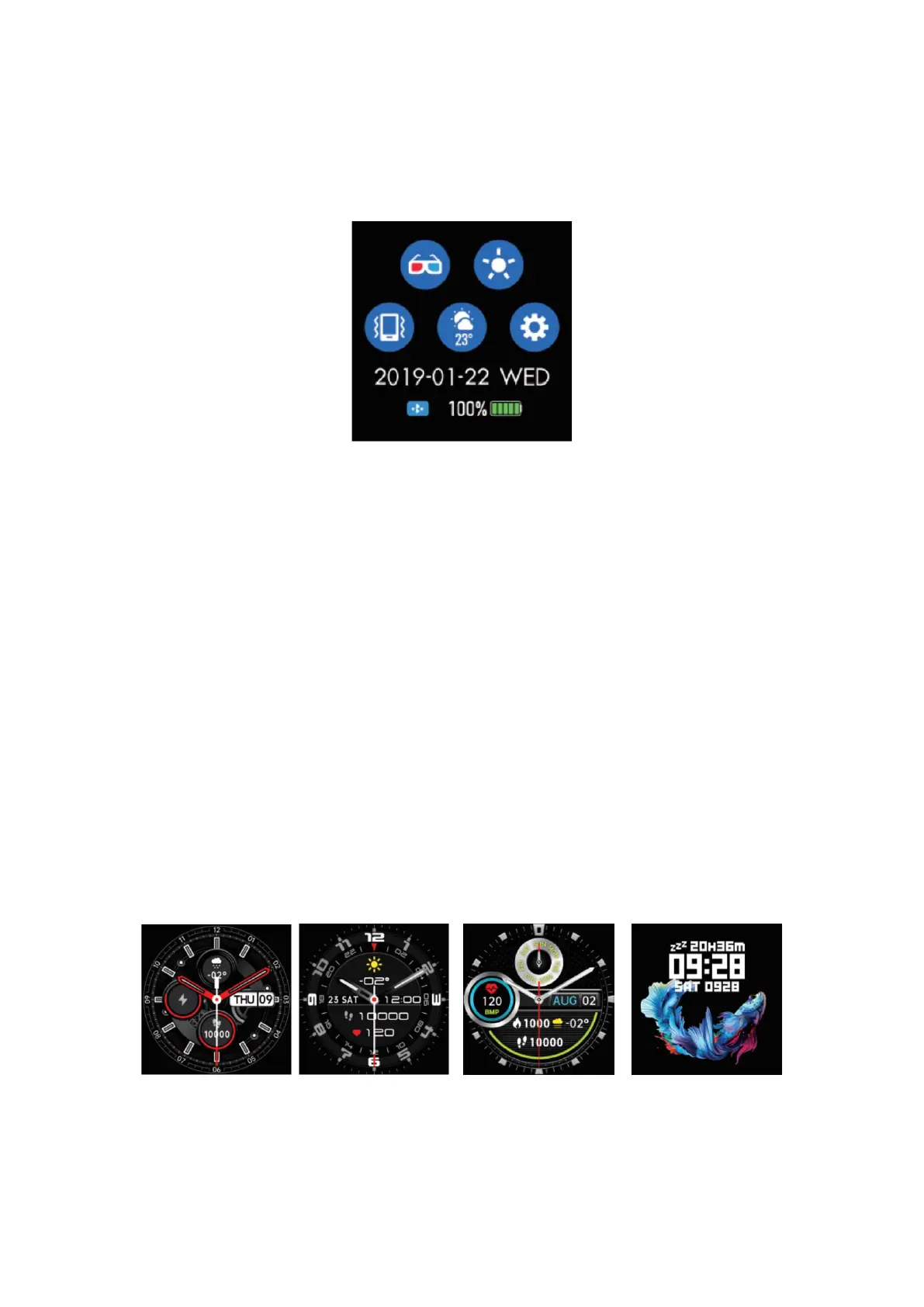
To access the pop-up menu, slide the screen down from the main interface.
In the pop-up menu, you have several options:
• Theatre mode
• Brightness adjustment
• Vibration or mute mode
• Weather information
• Settings (stopwatch, alarm, countdown, brightness, wake the watch by shaking
option on/off, theatre, reset, power off, about the device, app code)
Functions in the Da Fit app
Data Sync
• All measured data will be synced with the mobile phone using Da Fit app.
Main Interface Customization
• Here you can customize dial faces to your liking.
Notifications
• Here you can customize which apps have the permission to show push
notifications on your watch (e.g., Facebook, Twitter etc.).


 To Next Page