>> woxter.es
10
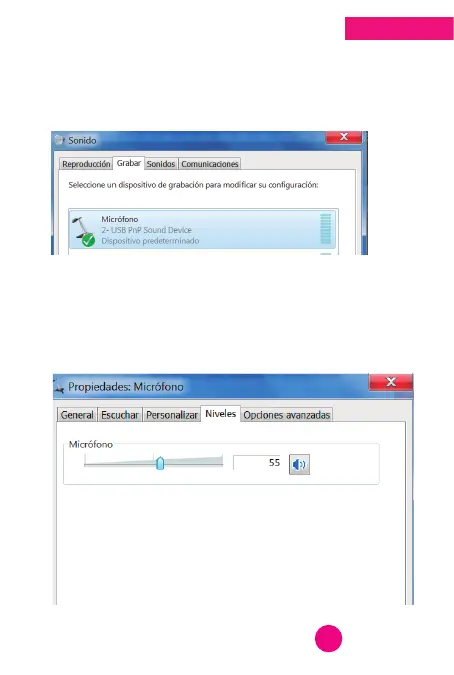
3. The SOUND window will appear where it will allow
you to select the correct Microphone. Select the
correct option and DOUBLE CLICK on the selected
device.
4. The microphone PROPERTIES window will appear,
with its GENERAL, LISTEN, CUSTOM, LEVELS,
ADVANCED menu. Select the LEVELS option to adjust
the volume according to your preferences and OK.
English



 To Next Page