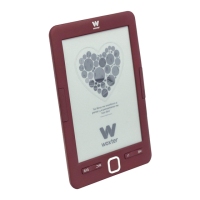
Thank you for purchasing the new Woxter eBook.
You are holding in your hands an electronic product that
requires on your part a series of precautionary measures to
be followed to avoid damaging it or causing any damage to
it.
around it
1, Do not open or disassemble the parts of the product;
contact a specialized technician or distributor if you have any
technical problem.
2. Keep the product away from electromagnetic sources.
3. When storing or transporting the product, be careful not to
put excessive pressure on the product,
4. When storing or transporting the product, keep it away
from humid environments. When storing or transporting the
product, keep it away from humid environments directly.
5. Do not clean the product with water or other chemical
agents, wipe the surface with a dry and soft cloth,
6. Do not press the buttons with excessive force, to avoid
damaging the buttons.
7.Do not put the electronic book under direct sunlight. Also
keep it away from extreme temperatures (too hot or too
cold). (very cold or very hot).
8. Please do not shake the unit roughly and avoid accidents
such as accidental dropping. accidents such as accidental
drops.
9. To protect your hearing, do not set the speaker volume to
maximum, doctors report that exposing the ear continuously
to a very high volume can damage the hearing. If you start to
experience ringing, turn down the volume or press stop.
10. To avoid overheating, do not connect the USB to the
computer for a long period of time. computer for a long
period of time. Remove it from the USB interface if you are
not using it,
11, Do not use the product in hot, cold, dusty, dry or humid
environments.
12, When the book is being formatted or upgrading, please
do not stop formatting or upgrading, otherwise it will
damage the documents.
13, This unit is subject to change in performance and
functionality without prior notice. functionality without prior
notice,
14. When using the eBook as an external hard disk, please
store and export the files following the correct operation
method of the file manager,
15. Defragment the disk periodically. To do this connect the
book and the PC with the included USB cable, then format
the book with the Windows operating system. Do not forget
that if you format the book, all the data (books, photos,
songs, etc..) will disappear, if you want to keep them, make a
backup copy of them.
16 There may be some difference in memory calculation.
The firmware and FLASH memory of the book occupies some
space, therefore, there will be differences between the
memory capacity of the book and that shown on the PC. It
depends on the firmware version and its FLASH category.
17. There are many viruses on computers that can easily
damage documents and firmware programs. Strengthen
your computer with a good antivirus. If the book has been
infected with a virus and you cannot use it, we recommend
that you update the firmware on a virus-free computer and
format the disk.
18. Woxter is not responsible for documents that are missing or
damaged due to improper use or maintenance.
29. Follow the instructions in the manual to keep the unit in
perfect working order and make a backup copy of the
information that you consider relevant,
20. Do not use the product in areas where electronic products
are prohibited.
21. Precautionary measures for charging the unit:
- The product is powered by reusable lithium batteries. We
recommend charging the product for a full eight hours the
first few times. You will also extend the life of the batteries if
you let them run down completely.
- Keep the Unit charged for an additional half hour after the
battery is fully charged for longer playback time.
- The lithium battery must be replaced through customer
service and can only be replaced with the same type of
battery. Users cannot replace them at their own free will.
- The service life of the batteries will differ according to
different usage situations.
22. Two ways to realize charging:
- It can be charged through the USB port, in its connection
with the computer. It will be charged once the e-book is
paired with the computer regardless of whether the product is
turned on or not.
- It can be charged through the compatible charger
(adapter). It will start charging after you have plugged the
adapter to the mains and the eBook.
- It is normal for the product to get slightly warm
duringcharging.
NOTE: Turn off the book and charge, plug in the charger
when the power is on, press POWER key for 3 seconds, the
unit will enter charging condition automatically,
Some differences may occur between the manual and the
actual functions, when updating the firmware, Please note
that this guide is for reference only.
Woxter maintains the right to change and improve the
product in specifications and design without prior notice,
Box Contents
E-book - 1 pc
USB cable - 1 pc
User manual - 1 pc
Cover - 1 unit
woxter.es
EN
17


 To Next Page
 Loading...