Product Overview
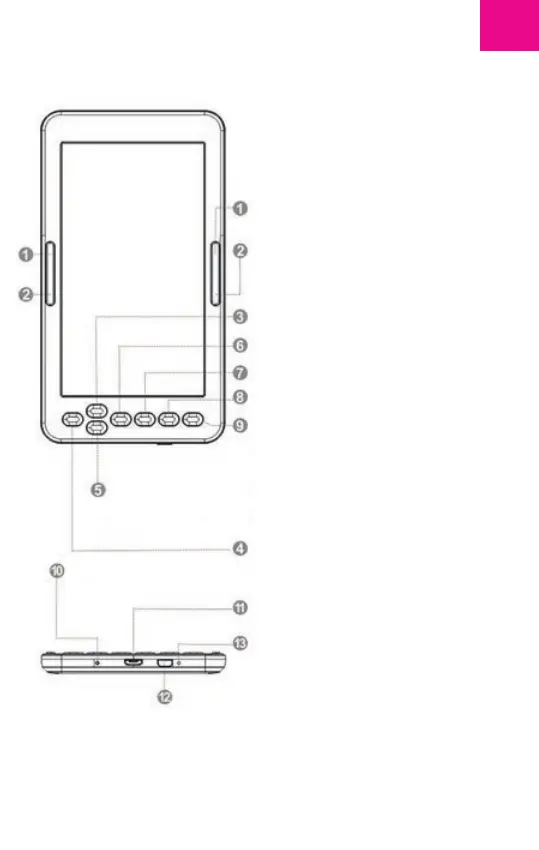
1: Next page - move cursor down
2: Previous page - move cursor up
3: Up - Page up
4: Left - Previus Page - move cursor
up
5: Down - Page down
6: Right - Nect Page
7: Ok button to confirm
8: Back to menu
9: Refresh the page, update the
existing image on the screen (short
press back to previus page, long
press resfresh the page)
10: Light ON when is charging the
device
11: Micro USB port for charging
12: Switch on/off the device (press
and hold the button until the
required action)
13: Reset button (in the hole)
woxter.es
EN
19



 To Next Page