English
7
Problem connecting? Visit wrensound.com/support for additional help.
To play music on your
Wren V5BT, make sure that
Bluetooth is turned on and
the “Wren Speaker” has
been selected on your source
device. Then simply select
your favorite music on your
device and play.
Select “Wren Speaker.” If
your source device asks for a
passkey, enter “0000” (four
zeros) and press “OK.” The
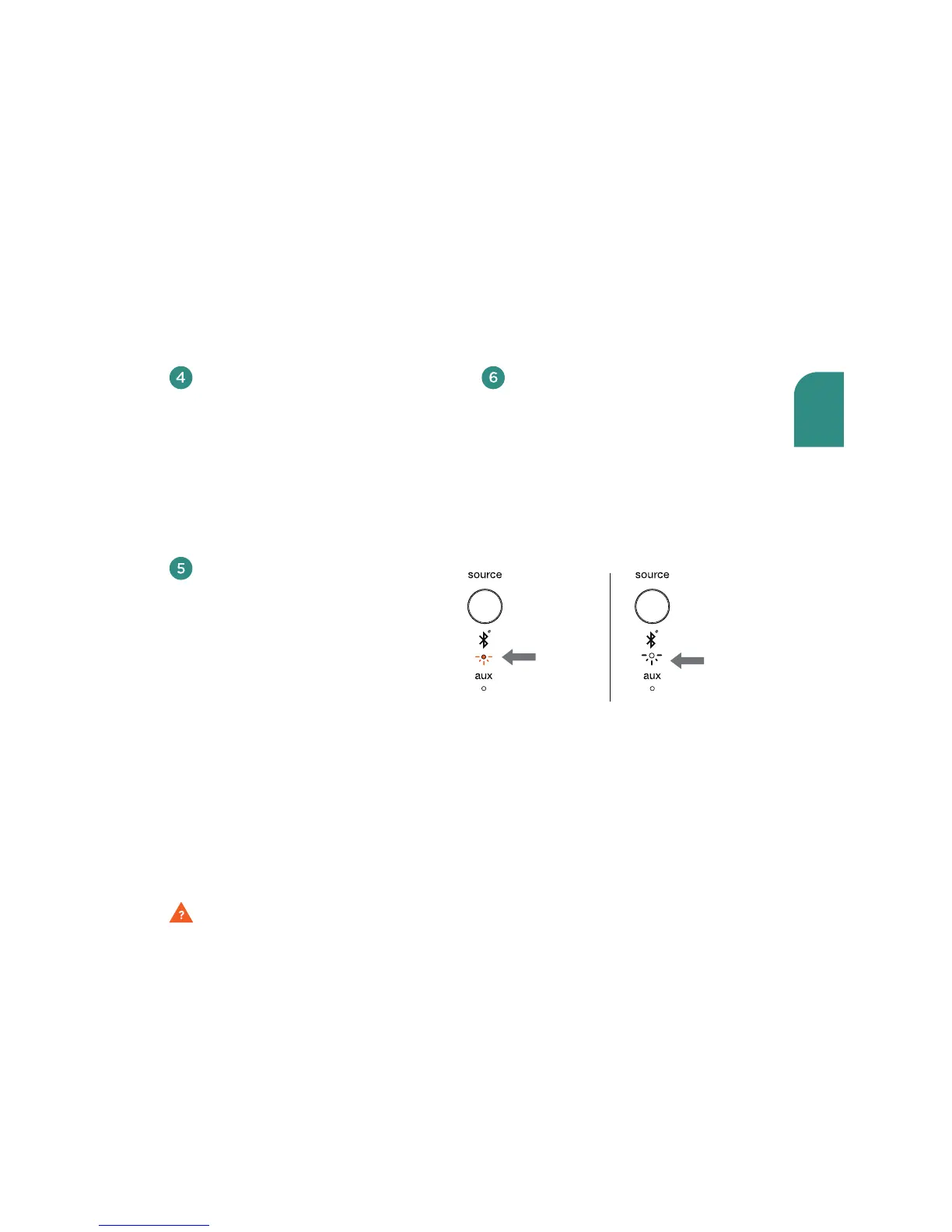
Bluetooth indicator on the
V5BT will blink amber two
times per second when pairing
is in progress
(Figure 3).
A message will appear on
your source device to indicate
when pairing is complete,
In addition, the Bluetooth
indicator on the V5BT will go
from blinking amber to solid
white
(Figure 4). You are now
ready to play music wirelessly
on your V5BT.
Figure 3 • Pairing
blinking
amber
Figure 4 • Connected
solid
white


 To Next Page