EasyManua.ls Logo

Wren V5BT - User Manual

Wren V5BT
24 pages
Print Icon
To Next Page IconTo Next Page
Loading...
V5BT Setup Guide

Questions and Answers

Summary

Box Contents

Before You Begin Setup

Powering On Your Wren V5 BT

Connections

Pairing with Your V5 BT

Important Note on Volume Control

How Does Bluetooth Work?

Using Multiple Devices on Your V5 BT

Using CSR aptX

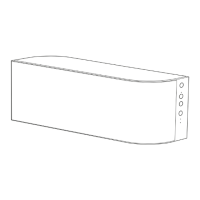
Speaker Controls

Power Control

Manages speaker power and mute status. White light for on, amber for muted.

Volume Adjustment

Controls sound volume up or down.

Bluetooth Source Indicator

Shows when Bluetooth audio source is selected.

Aux Source Selector

Selects the desired audio input source.

Aux Source Indicator

Indicates when the aux audio source is selected.

Troubleshooting Tips

Bluetooth Pairing Issues

Solutions for when the speaker cannot be paired with a Bluetooth device.

Poor Bluetooth Audio Quality

Tips to improve sound quality from a Bluetooth connection.

Bluetooth Connection Errors

Addresses issues with paired devices not connecting or indicating connection without audio.

No Audio Playback

Solutions for no sound from a Bluetooth device, including range and interference.

Contact Information

Consumer Product Safety Guide

General Safety Instructions

Read, keep, and follow all instructions and warnings for safe operation.

Water and Moisture Precautions

Avoid use near water or in wet conditions to prevent damage or shock.

Ventilation and Heat Management

Ensure proper airflow and keep away from heat sources.

Power and Cable Safety

Use specified power sources and protect power cables from damage.

Operational Safety Guidelines

Covers cleaning, object/liquid entry, attachments, surge protection, overloading, servicing, antenna, and non-use.

FCC Radiation Exposure Statement

Industry Canada Statement

WEEE Notice

Limited U.S. Warranty

Wren V5BT Specifications

General IconGeneral
BrandWren
ModelV5BT
CategoryPortable Speakers
LanguageEnglish