DigiReader Series
8 P/N 6600025, REV. BX
*1WS
lamroN(
)edoM
*1WS
(yeK/NIP
edoM)
2WS NOITCNUF
06ro5,41
sesserddateN-S
lamicedaxehF-1
)lamiced51-1(
06ro5,42
.. .
.. .
06ro5,4E
06ro5,4F
**8**EroD,C**0lamiced61sserddateN-S
FA tib-62dnageiW
FB tib-43dnageiW
FE edoMomeD
FF ***edoMtseTFR
DIGIREADER ADDRESS
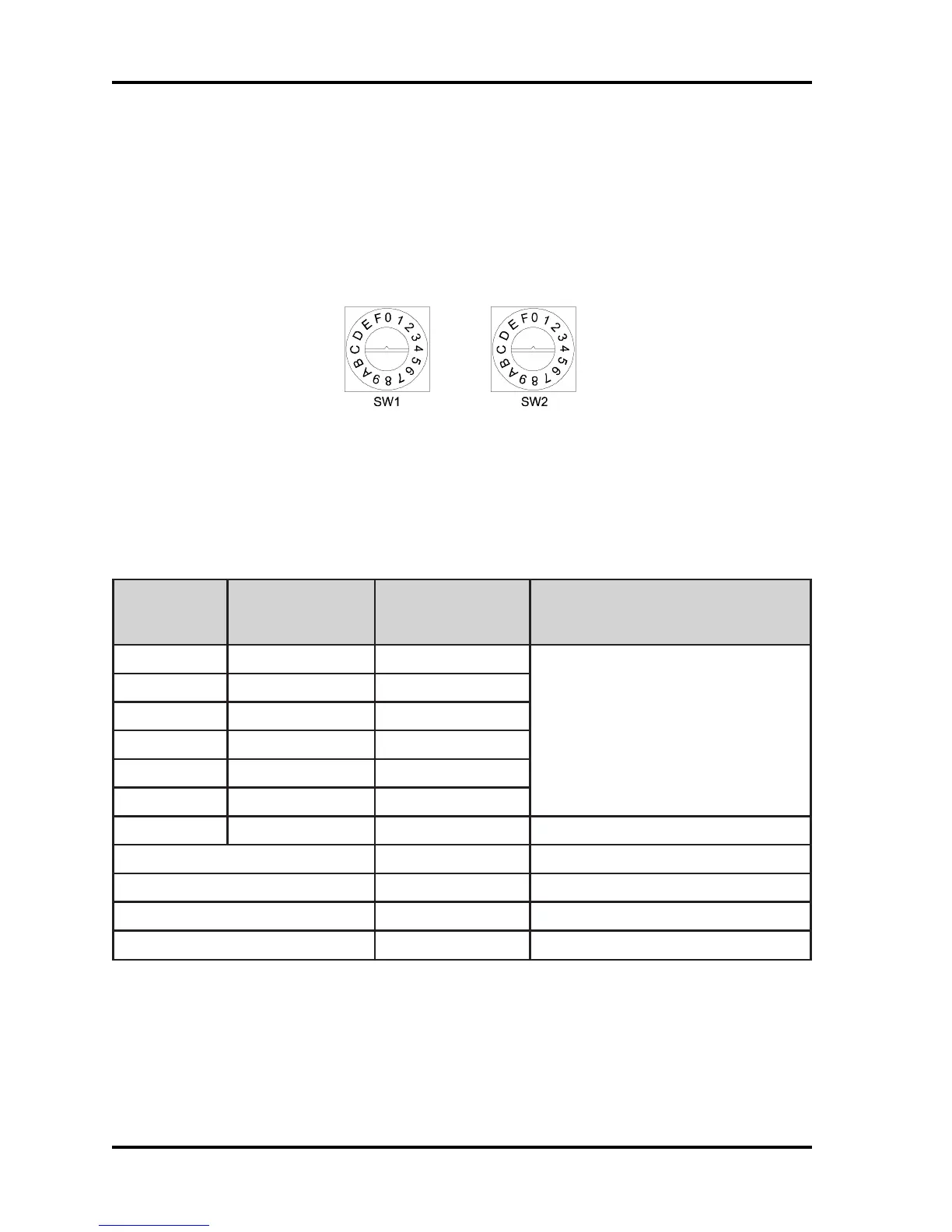
Each DigiReader must have a unique address. SW1 is used to select the special reader modes
of operation, (as shown in Table 6). SW1 should be set to 0 for S-Net operation and F for Wiegand
operation. SW2 is set in the factory to 1 but may be set to an address between 1 and 15 (F). Valid
addresses may be limited by the controller; (see the appropriate controller manual).
Figure 2: Address Switch
When used with an SE422 controller, addresses 01 and 02 should be assigned to nodes 13/15 and
14/16, respectively.
Table 6: Valid Switch Settings for Switches 1 and 2
(* See the DR4205K SPECIAL OPERATING FEATURE section, below)
(** See next page for S-Net address 16, Normal or PIN/Key explanation)
(*** See the TESTING THE DIGIREADER LOCATION section, below)


 To Next Page
 Loading...