Need help?
Do you have a question about the Wurkkos TS10 and is the answer not in the manual?
Details battery types, voltage, and compatibility for the flashlight.
Initial steps to turn on the flashlight and adjust brightness.
Explains the standardized abbreviations for button actions like clicks and holds.
Overview and explanation of the visual diagram for the Simple User Interface.
Details functions available in Simple UI, including lockout and basic operations.
Instructions for switching between Simple and Advanced UIs and performing a factory reset.
Visual guides and explanations for both Simple and Advanced User Interfaces.
Details on various special modes like blinky lights, utility functions, and strobe patterns.
Information on setting temperature limits and thermal regulation for the flashlight.
Identifies common problems and provides solutions for flashlight malfunctions.
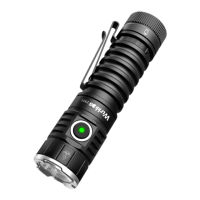
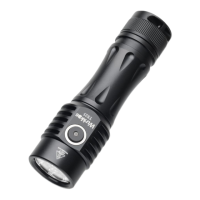
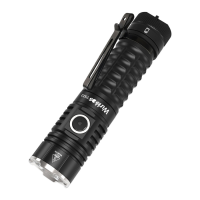
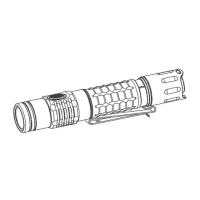
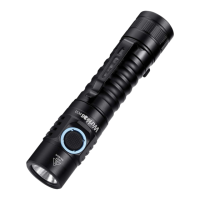
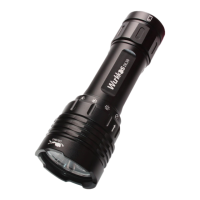
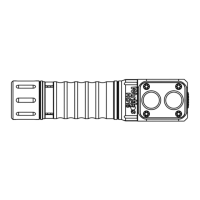
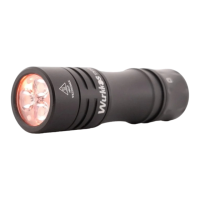
The Wurkkos TS10 is a powerful and compact Mini EDC (Everyday Carry) flashlight designed for reliable daily use and enjoyment. It incorporates three main LEDs and three single-color auxiliary LEDs to provide versatile lighting options. Powered by a single 14500 battery, the TS10 operates with the advanced Anduril 2.0 user interface, offering a wide range of functions and customization possibilities.
The TS10 is primarily a flashlight, providing illumination for various tasks. Its core function is to turn on and off, and to adjust brightness levels. The Anduril 2.0 user interface, by default, starts in a "Simple UI" mode, which is ideal for users who prefer straightforward operation or when lending the light to someone unfamiliar with advanced flashlight controls. In Simple UI, the basic functions are readily accessible: a single click turns the light on or off, and holding the button ramps the brightness up or down. Releasing and holding the button again reverses the ramping direction. This mode limits minimum and maximum brightness for safety and blocks complex or advanced functions, making it user-friendly.
Beyond basic on/off and brightness adjustment, the Simple UI also includes a momentary high mode (accessed by holding the button when the light is off), a double-click to jump to/from the highest safe level, and a lockout mode to prevent accidental activation. Additional functions available when the light is off in Simple UI include a battery check mode (three clicks), and a version check (15 or more clicks). Within lockout mode in Simple UI, users can access momentary moon or low modes, and unlock the light at various brightness levels.
For users seeking more control and advanced features, the TS10 can be switched to "Advanced UI." This mode unlocks a comprehensive suite of functions, allowing for deep customization and access to various special modes. The Advanced UI includes features like smooth or stepped ramping, direct access to turbo mode, and a more intricate lockout mode with options for auto-lock. It also provides access to a range of blinky and utility modes, such as battery check, voltage calibration, SOS, beacon mode, party strobe, bike flasher, and lightning storm. Thermal configuration options are also available in Advanced UI, allowing users to set current temperature and stepdown temperature limits. Furthermore, the Advanced UI offers control over the brightness and color of the auxiliary LEDs, both in standby and lockout modes, adding a personalized touch to the flashlight's appearance and functionality. Manual memory configuration is also part of the Advanced UI, enabling users to disable manual memory or configure a manual memory timer. The sunset mode is another unique feature, allowing the light to gradually turn off over a set period, with options to extend the runtime.
The TS10 is designed for ease of use, even with its advanced capabilities. Upon inserting a battery and tightening the parts, the light blinks once to confirm power, indicating it's ready for operation. The Simple UI provides an intuitive starting point, ensuring that even novice users can operate the flashlight effectively. The button press system is consistent across both Simple and Advanced UIs, using a notation of clicks (C) and holds (H) to access different functions. For example, 1C is a single click, 1H is a hold, 2C is two clicks, and 2H is a click followed by a hold. This consistent pattern extends to higher numbers of clicks and holds, allowing users to learn and remember commands more easily.
Switching between Simple UI and Advanced UI is a straightforward process, performed when the light is off. A 10H (hold for 10 seconds) in Simple UI transitions to Advanced UI, while a 10C (10 clicks) in Advanced UI returns to Simple UI. A 10H in Advanced UI allows for configuration of the Simple UI. The flashlight also features an automatic stepdown mechanism in Turbo mode to prevent overheating, ensuring safe operation. Electronic reverse polarity protection is integrated to safeguard against improper battery installation. Advanced Temperature Regulation (ATR) technology automatically adjusts brightness based on the flashlight's temperature, preventing overheating and maintaining optimal performance.
Proper maintenance ensures the longevity and optimal performance of the Wurkkos TS10. Users are advised against disassembling the sealed head, as this can damage the flashlight and void the warranty. To prevent self-discharge or accidental activation during storage or transportation, it is recommended to unscrew the tailcap by half a turn or remove the battery entirely. This also prevents battery drain when the flashlight is in standby.
Regular cleaning of the threads is important; every six months, the threads should be wiped with a clean cloth and then lubricated with a thin layer of silicone grease. To maintain the flashlight's waterproofness, worn-out O-rings should be replaced with approved spares. If the flashlight experiences issues such as flickering, intermittent shining, or failure to turn on, troubleshooting steps include checking and replacing the battery if needed, and cleaning dirty contacts. Battery contacts, PCB board contacts, and other contact points can be cleaned with a cotton swab soaked in rubbing alcohol. For first-time use, it's crucial to remove any insulation sticker from the battery to ensure the flashlight turns on. If these troubleshooting methods do not resolve the issue, users are directed to refer to the warranty policy before contacting an authorized distributor. The use of high-quality brand batteries is recommended, as damage from battery leakage voids the warranty.
 General
| Max Lumens | 1400 lumens |
|---|---|
| Material | Aluminum alloy |
| Switch | Electronic side switch |
| UI | Anduril 2 |
| Battery | 1 x 14500 Li-ion |
| Water Resistance | IPX8 |
| Color Options | Black, Red, Green |

 To Next Page