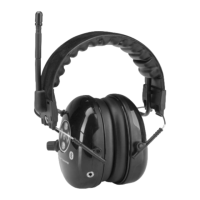
WIRELESS BLUETOOTH CONNECTION
This hearing protector is a qualified Bluetooth v2.1 device with A2DP, HFP and HSP profiles.If your phone supports the A2DP Bluetooth profile and has a
music player feature, you can use the phone to also play music with the hearing protector.
Creating Bluetooth wireless connection
Before using the wireless communication functions, a connection between hearing protector and Bluetooth enabled mobile phone must be created. The
connection is created as instructed below:
1. Turn power on (ON / OFF key). The Bluetooth indicator will soon start flashing green slowly.
2. Set your Bluetooth enabled mobile phone to search Bluetooth devices. (See detailed information at your mobile phone’s user instructions)
3. When your mobile phone has found “Silentex”-named device, hearing protector and mobile phone have identified each other. Follow your mobile phone user
instructions to accept the connection. Hearing protector´s PIN code is 0000.
4. When Bluetooth connection has been created successfully the Bluetooth-indicator will start flashing alternately in red and green. A symbol of
Bluetooth connection will show on most mobile phones’ screen when the connection is on. Sounds of mobile phone will be heard from hearing
protector’s ear cups. Radio / level dependent function will automatically be shut off during incoming call. The function of radio / level dependent will
return back on in about 10 seconds after the phone call has been terminated. Note! Any sound signal of mobile phone, also sounds of mobile phone’s
keys will shut off radio / level dependent.
Making a phone call
Making a phone call is done as usually. Speech is transmitted through hearing protector’s microphone. Sounds are heard from the hearing protector ear cups.
Note! In noisy environment it is important to place the microphone close to mouth so that the speech is transmitted clearly despite the background noise.
Answering to an incoming call and ending a phone call is done by pressing the rotary switch (see picture, ref. 4)
Adjusting volume
During a phone call the volume level of mobile phone can be adjusted by pressing VOL+ and VOL- or in the usual way from the mobile phone’s control buttons.
Ending Bluetooth connection
End the Bluetooth connection from your mobile phone. If you are not using your hearing protector, press ON/OFF to shut off power of hearing protector.
Re-creating bluetooth connection
1. Turn power on from your hearing protector (ON / OFF button). If the mobile phone’s Bluetooth function is activated, the connection between
hearing protector and mobile phone will be created automatically.
2. If the connection is not made automatically, search “Silentex” from your mobile phone menu and activate it.
The device search and match process needs to be done only once. After that the hearing protector “Silentex” will remain in your mobile phone memory.
Should the mobile phone be used also with other Bluetooth enabled devices in between, the connection creation must be done again. Note Some
differences may occur, depending on type of mobile phone.
Battery and Charging
Low battery warning
Three tones will be heard some 15 hours before the battery is completely empty. Tones will be repeated in every 30 minutes. When only 2-3 of operating hours is left
four tones is heard and tones will be repeated in every 15 minutes. When low battery warning is heard, charge the battery as soon as possible. When the battery is
completely empty five tones is heard and electronics is shut down.
Charging instructions
Würth electronic hearing protectors are equipped with a Li-Ion battery. The operating life of the Li-Ion battery is about 1000 charging cycles, which equals average
use of several years. Charging a completely empty battery will take about 6 hours and the charger indicator will indicate red during this. The charger indicator will
change into dim red when the battery is fully charged and it will turn off completely after 10 hours from starting the charging. When taking the device first time
to use, the first chare must be over 12 hours. The Li-Ion battery will not reach its full capacity in temperature below –15ºC. The battery can be charged even
if it is not completely empty. Use only the original Silentex charger for charging the battery. Using any other charger may damage the batties and will void your
warranty.
Single charge offers following operating times:
FMB: 70h with FM radio and Bluetooth in stand-by or 20 hours with Bluetooth active
FMAB: 60 hours with FM radio, level dependent and Bluetooth in stand-by or 20 hours with Bluetooth in active


 To Next Page
 Loading...