EN USER INSTRUCTIONS
Product
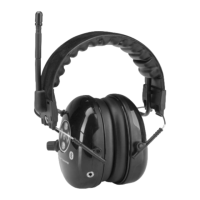
FMB: Hearing protector equipped with FM Radio receiver and wireless Bluetooth
v2.1 technology. The audible sound pressure level of FM Radio is
limited to 80 dB (A) and the audible sound pressure level of wireless Bluetooth connection is limited to 82 dB (A).
FMAB: Hearing protector equipped with a buit in active ambient sound reproduction, FM Radio receiver and wireless Bluetooth
v2.1 technology. The sound
pressure level from speakers is limited to a safe 82 dB (A) level.
Keypad
The fuctions of hearing protector are divided into frequently used basic functions (press briefly) and to set-up functions that are used more rarely (press and hold
for one second). When the key is presed briefly one tone is heard and when key is pressed and held for one second two or more tones are heard.
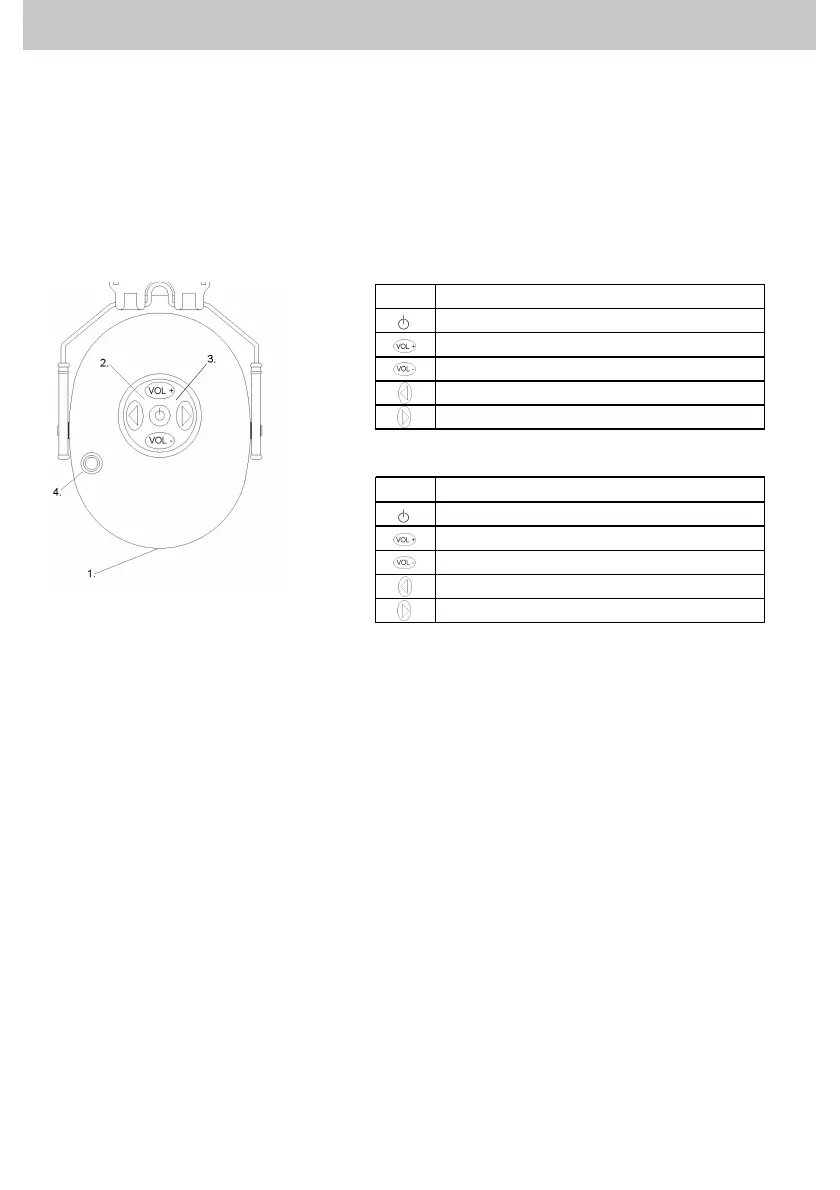
1. Charging jack see charging instructions for first charge.
2. Charging indicator. Indicates state of charge.
3. Bluetooth indicator. Indicates state of wireless Bluetooth connection
4. Rotating volume control / Talk -switch
Adjusting volume
FMB: Adjust volume of radio with rotary switch. The volume level of Bluetooth can be adjusted by pressing VOL+ and VOL- or from the mobile phone’s control
buttons.
FMAB: Adjust volume of radio by pressing VOL+ and VOL- buttons. Volume of level dependent function can be adjusted by turning the rotary switch.
Push-To-Listen: By pressing (press briefly) the rotary switch, the volume control of level dependent is set into maximum volume level and radio gets muted
simultaneously for 30 seconds. The Push-To-Listen function can be aborted by pressing any control button. This function is useful for e.g. when discussing with
your co-worker.
Favourite channel
Favourite channel function stores five of your favourite radio channels into the memory. When you have listened to the same channel for over five minutes, the
channel gets stored into memory automatically.
FMB: Browse your favourite radio channels by pressing < or > button for over one second.
FMAB: Browse your favourite radio channels by press and hold the rotary switch for over one second.
Radio receiver Local / DX mode (Areas with weak reception signal)
There are two modes in the radio receiver, Local and DX. Local is a default mode of the radio receiver. In DX mode radio receiver searches also channels with
weak reception signal. If the desired channel is not found, the radio receiver should be set into DX mode. By pressing VOL+ button for one second, radio is set
into DX mode. Only one sound signal is followed of performing this function.By pressing VOL- button over one second, the radio is set into Local-mode. This is
followed by two sound signals that are heard from the ear cups. It is recommended to set the radio into DX-mode in areas with weak reception.
Automatic power save function
If no control buttons are pressed in five hours, the automatic power saving function will give three signal tones. Electronics will be simultaneously shut off.
Key Function
Power ON / OFF
Press and hold 1 sec.
Bluetooth volume +
Bluetooth volume -
Radio channel search down
Radio channel search up
Key Function
Power ON / OFF
Press and hold 1 sec.
FM Radio volume +
FM Radio volume -
Radio channel search down
Radio channel search up
FMB
FMAB


 To Next Page
 Loading...