Seite 15 von 100
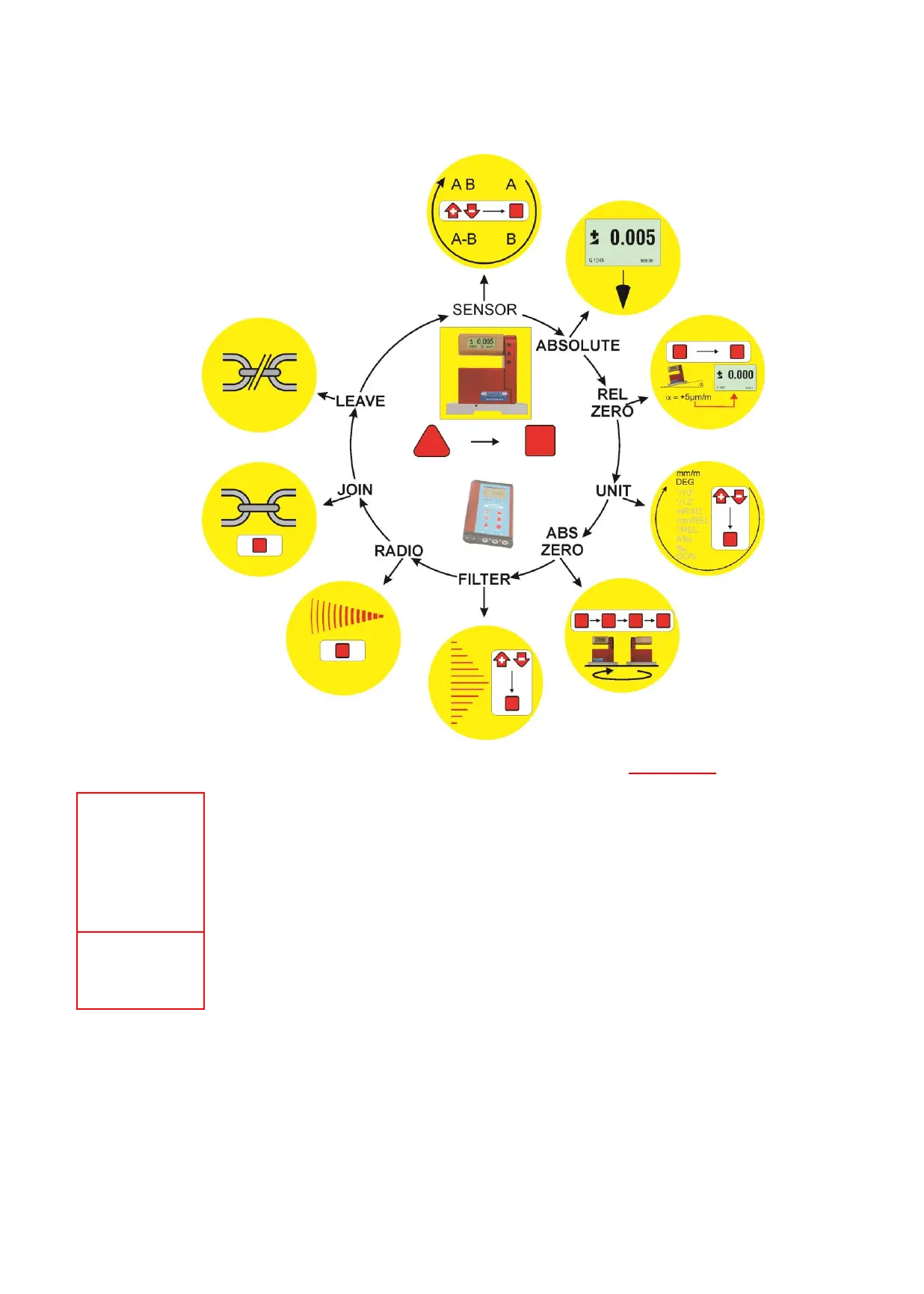
3.3 FUNCTIONAL MENU WITH BLUELEVEL USING THE FUNCTION KEY
(same applies partially for BlueMETER and BlueTC) / according to G. Lasczyk
… using the key <ON/MODE>
FOR ADDITIONAL DETAILS PLEASE CONSULT THE FLOW CHARTS CHAPTER "L / FLOW CHARTS" PAGES 86.....97
Switching the
instruments
ON
- Starting the BlueLEVEL. Press the <ON/MODE> and <ZERO/SELECT ±> keys located
opposite on the handle until all the LED‘s on top of the handle are illuminated and " SYSTEM
CHECK" is shown on the display. After starting the actual measured value as well as the last
used unit is displayed.
- Starting the BlueMETER. Press the <ON/MODE> key until all the LED‘s are illuminated and
"SYSTEM CHECK" is shown on the display. After starting the actual measured value as well
as the last used unit and configuration is displayed.
- Setting the active sensors/ports and selection of the single ore differential measurement
display BlueMETER only.



 To Next Page