Page 13 of 31 Pages
3.1. Checking the functions
After connecting a sensor or another measuring instrument according to the point 1.3. Possible configurations
to the LEVELMETER 2000 the key
ON/MODE can be pressed. As long as this key is pressed all elements of
the LCD display will show up. After releasing the key the mode is switched to the measuring mode. The active
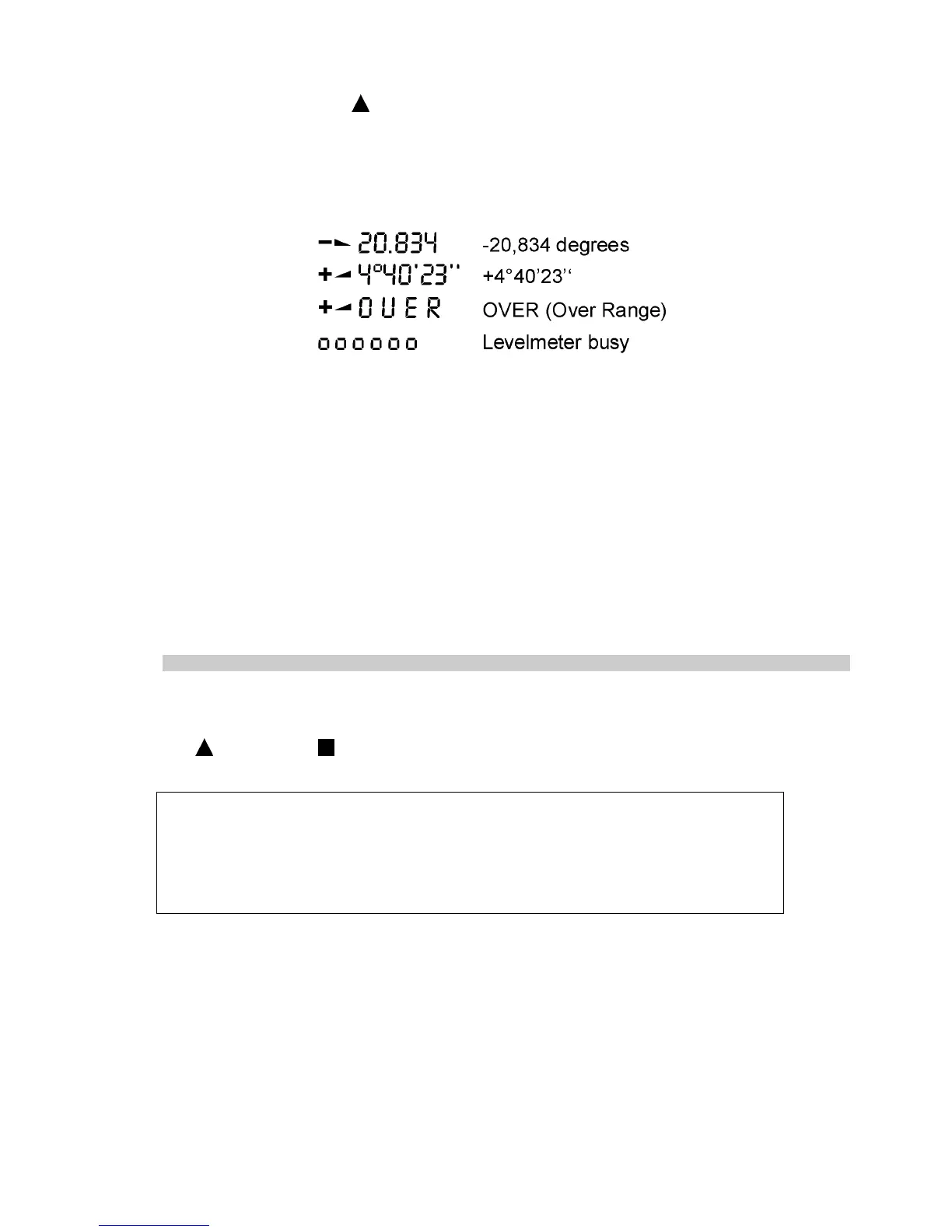
signal is displayed in the last used measuring unit, e.g. XXX° XX’ . This will be the case when the calibration data
of the connected sensor have been red before. (During the reading of the calibration data six small „o“ will be
displayed)
The following display variations are correct:
When now the connected instrument or sensor is tilted, the displayed value must change accordingly. If no sensor
is connected, the displayed sign "SENSOR" is flashing and the message "ERROR 2" is displayed.
The following error messages are possible:
ERROR 0
Instrument is defect, to be sent to the service center
ERROR 1
Previously defined measurement configuration not correct anymore.
Possible cause: Sensors not connected anymore, other sensors connected or
communication disrupted.
ERROR 2
No measurement has been done so far with the connected sensor. The sensor must be
addressed correctly (See point 3.7. Selecting a sensor or an instrument)
ERROR 3
Calibration data not available. The display shows the malfunctioning item (port and
address)
For other error messages see point 5.
To reinstall the basic set up a RESET may be done at any time. The procedure is as follows:
Both keys
ON/MODE and ENTER must be pressed simultaneously for at least one second. All the
manually installed data is lost and the LEVELMETER 2000 will be set to the following basic standards:
Basic standards (Default values):
Measuring mode: absolute
Measuring unit: the next possible and useful unit
Relative Base: 1000 mm
ZERO-OFFSET absolute: remains intact
Sensor: PORT A, no Sensor (ERROR 2)
Filter No 5
Immediately after RESET the error message 2 is displayed. This means the connected sensor must be
addressed correctly from new. (See point 3.7. Selecting a sensor or an instrument)


 To Next Page
 Loading...




