Page 15 of 31 Pages
If this „Zero-Offset“ (Basic offset) must now be saved, the key ENTER
must be pressed. Immediately after this, the selection pointer jumps to the
measuring mode absolute and the measuring result under consideration
of the „Zero-Offset“ (Basic offset) will be displayed.
The „Zero-Offset“ (Basic offset) computed by applying the reversal method is the deviation of the sensor’s ZERO
to the absolute ZERO. The display on the LEVELMETER 2000 therefore is the :
Displayed value =
Value of the sensor minus „Zero-Offset“.
The reversal measurement to establish the exact „Zero-Offset“ (Basic offset) should be done periodically if high
quality measurements are required. Especially after longer intervals the method is useful.
3.2.2. ZERO virtual
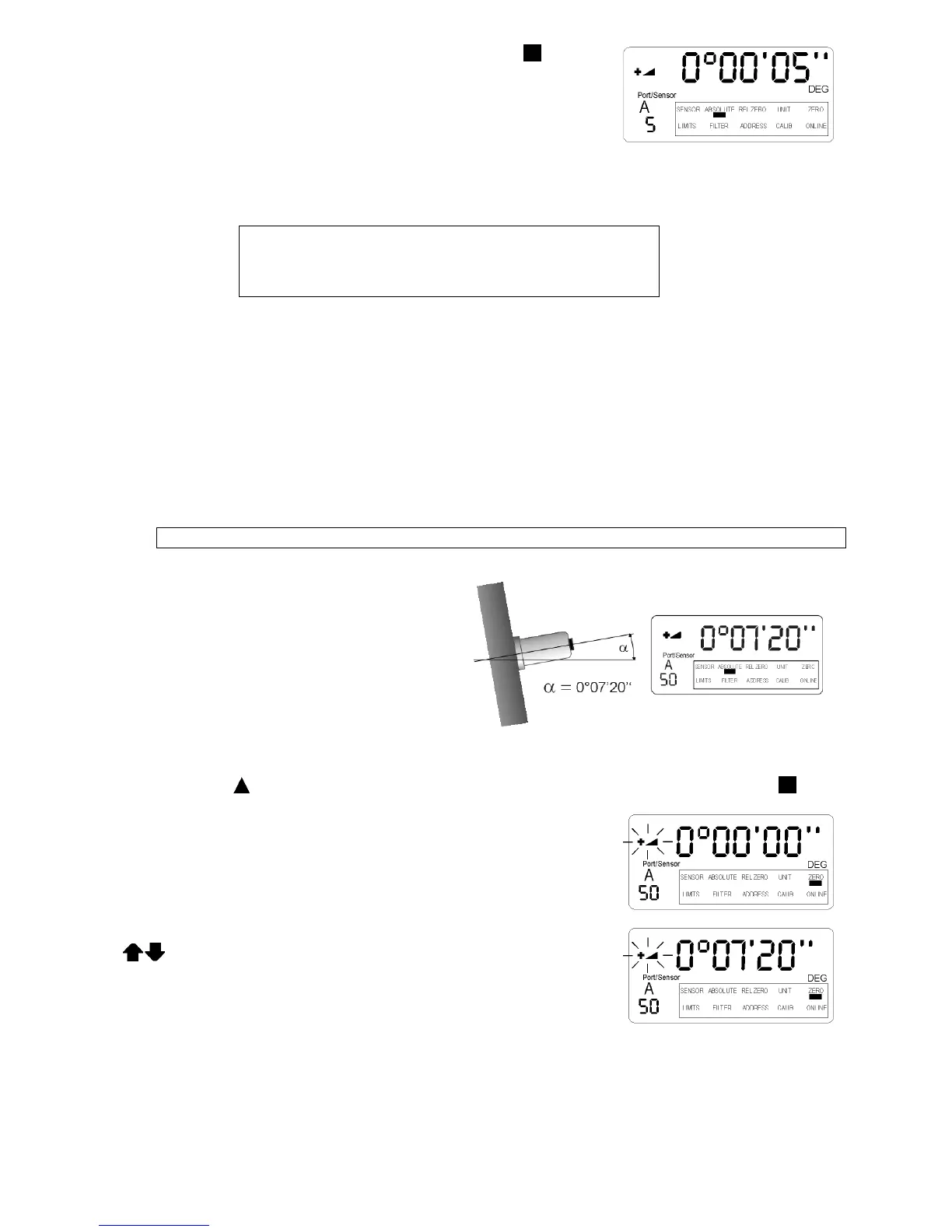
I) Manual set-up of the virtual ZERO
One possibility of using ZERO virtual means to establish an artificial plane, respectively angle, to be chosen as
absolute zero.
Another possibility is to change the existing „Zero-Offset“ (Basic offset) of a sensor e.g. established by means of
using the reversal method.
Only well skilled and trained user should make use of this feature!!!
Example:
Initial position:
The display shows the measured value on the
Levelmeter 2000 : +0°07‘20‘‘. This value is the
true inclination of the sensor.
Only one sensor at a time can be set to ZERO virtual. This sensor must be selected first.
The selection pointer must be moved below the marking ZERO in the display of the LEVELMETER 2000 by
pressing the key
ON/MODE several times. If reached the selection must be confirmed by pressing ENTER.
The last computed or manually entered value „Zero-Offset“ (Basic offset)
is displayed. In our example 00° 00‘ 00‘‘
The direction indicator is flashing
This displayed value may now be changed manually by applying the keys
ZERO/SELECT „+/-“ to the desired value.
e.g. from +0° 00’ 00’’ to new +0°07‘20‘‘
The direction indicator is flashing
The value is now the new „Zero-Offset“


 To Next Page
 Loading...




