Need help?
Do you have a question about the Wyrestorm EXF-300-H2 and is the answer not in the manual?
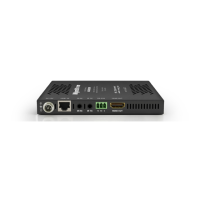
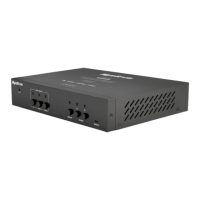
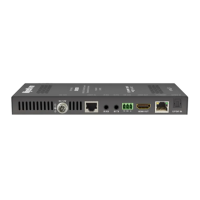
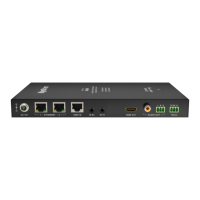
The WyreStorm EXF-300-H2 is a versatile extender designed to transmit 4K 4:4:4 60Hz 18Gbps HDMI signals, along with HDCP 2.2, and bidirectional IR or RS-232, over OM3 Multi-Mode Fiber. This device is ideal for installations requiring long-distance transmission of high-bandwidth video and control signals, ensuring robust and reliable performance.
The core function of the EXF-300-H2 is to extend HDMI, IR, and RS-232 signals over significant distances using OM3 Multi-Mode Fiber. The system comprises a transmitter and a receiver unit. The transmitter takes an HDMI source input and converts it for fiber optic transmission, while the receiver unit converts the fiber optic signal back to HDMI for display. This allows for the placement of source equipment and displays far apart without compromising signal quality.
The device supports 4K resolutions up to 4:4:4 60Hz, ensuring that high-quality video content, including HDR formats like HDR10 and Dolby Vision, can be transmitted without degradation. The 18Gbps bandwidth capability is crucial for handling the demands of modern video standards. HDCP 2.2 compliance ensures compatibility with protected content from various sources.
Beyond video, the EXF-300-H2 offers bidirectional transmission of either IR or RS-232 control signals. This feature is particularly useful for controlling source devices from the display location or vice versa, eliminating the need for separate control cabling. The bidirectional nature means that control commands can flow in both directions between the transmitter and receiver ends, providing flexibility in system design.
The extender utilizes OM3 Multi-Mode Fiber, which is a cost-effective and high-performance solution for medium to long-distance signal extension. The use of fiber optics inherently provides immunity to electromagnetic interference (EMI), making it suitable for environments where electrical noise might be an issue.
Setting up the EXF-300-H2 involves connecting the HDMI source to the transmitter's HDMI input and the display to the receiver's HDMI output. Power is supplied to both units via 12V DC power plugs. The fiber optic connection between the transmitter and receiver is made using SFP+ OM3 MM fiber cables.
For control, the device offers flexible options for either IR or RS-232. If IR control is desired, an IR emitter is connected to the transmitter's IR TX port and placed near the source device, while an IR receiver is connected to the receiver's IR RX port and placed near the display (or vice versa for reverse control). WyreStorm recommends using their specific IR emitters and receivers for optimal compatibility, though third-party devices can be used if they operate in a similar manner. A special CAB-IR-LINK cable is available from WyreStorm to address potential voltage and pin differences when integrating with third-party control systems.
If RS-232 control is preferred, a 3-pin phoenix connector is used. The EXF-300-H2 supports RS-232 without hardware flow control. It's important to verify the pin functionality of the connected control device (e.g., a control system or computer) to ensure correct connections, as pin assignments (TX, RX, Ground) can vary between devices.
A key operational feature is the ability to select between RS-232 and IR transmission over the fiber. This selection must be made on both the transmitter and receiver units to ensure the correct signal type is being sent and received. This ensures that only one type of control signal is active at a time, preventing data conflicts.
The EXF-300-H2 supports EDID pass-through from the display to the source. This means that the extender automatically relays the display's EDID information to the source, allowing the source to output a resolution and format compatible with the connected display. This simplifies setup as no manual EDID configuration is required on the extender itself.
The device is designed for ease of installation, including mounting brackets for secure placement. The compact form factor allows for discreet installation in various environments.
While the EXF-300-H2 is designed for robust operation, proper installation and occasional checks contribute to its longevity and performance.
Wiring Guidelines: It is crucial to follow best practices for wiring. WyreStorm emphasizes running and terminating all wiring before making connections to the extender. Factors like patch panels, wall plates, cable extenders, kinks in cables, and electrical interference can negatively impact signal transmission. Minimizing these factors is essential. Using pre-terminated HDMI and DP cables is recommended due to the complexity of these connector types, ensuring accurate connections and optimal performance.
Fiber Optic Care: Special attention should be paid to the OM3 fiber optic cables. Fiber cables have a specific bend radius (6.0cm/2.4in); exceeding this can damage the fiber core. Before termination, the fiber core ends should be inspected for any damage, scratches, or blemishes, as these can affect performance. It is also important to avoid touching the fiber core ends with bare hands to prevent oils or dirt from transferring to the surface, which can degrade signal quality. Referring to the guidelines from the fiber cable manufacturer for specific connection parameters is also advised.
Troubleshooting: The Quickstart Guide provides basic troubleshooting steps for common issues such as "No or Poor-Quality Picture" and "No or Intermittent 3rd party Device Control."
These simple checks can help resolve most common operational problems without requiring specialized tools or expertise. The device is built for reliability, and adherence to installation guidelines will minimize the need for extensive maintenance.
 General
| HDMI Inputs | 1 |
|---|---|
| HDMI Outputs | 1 |
| HDMI Version | 2.0 |
| HDCP Version | 2.2 |
| PoH | Yes |
| Audio Output | HDMI |
| EDID Management | Yes |
| Resolution | Up to 4K@60Hz 4:4:4 |
| Transmission Distance | Up to 100m over CAT6 |
| Audio Formats Supported | Dolby Digital, DTS |
| Control | RS-232 |
| Operating Temperature | 0°C to 40°C (32°F - 104°F) |
| Storage Temperature | -20°C to 60°C (-4°F to 140°F) |

 To Next Page