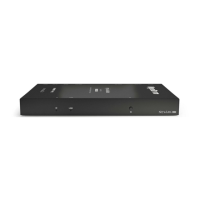
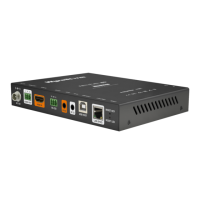
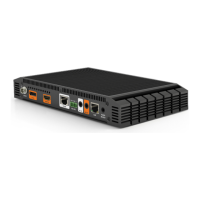
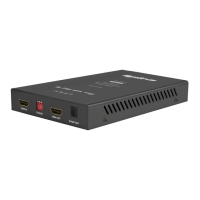
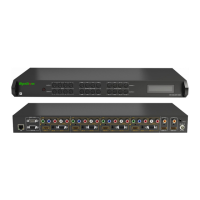
NetworkHD Full Product Range
Quickstart Guide
WyreStorm recommends reading through this document in its entirety to become familiar with the product’s
features prior to starting the installation process.
IMPORTANT! Installation Requirements
WyreStorm Documentation and Firmware
Download the following items from the product page on wyrestorm.com.
They are essential for accurate conguration and use of the NetworkHD
system.
• Latest NetworkHD Firmware
• Latest WyreStorm Management Suite
• NetworkHD Installation Guide
• NetworkHD Technical Reference Guide
• NetworkHD Certied Switches
• NetworkHD Switch Conguration Guides
• NetworkHD Switch Mapping Worksheet
• 3rd Party Control System Drivers
Copyright © 2022 WyreStorm Pro AV Corporation | wyrestorm.com
NetworkHD Quickstart Guide | 221114
INT: +44 (0) 1793 230 343 | US: 844.280.WYRE (9973)
support@wyrestorm.com
1 of 2
Network Switch Requirements
• WyreStorm highly recommends the use of switches listed in the NetworkHD Certied Switches. These switches have been veried by WyreStorm to meet the
requirements of a NetworkHD system.
• NetworkHD requires a Layer 2+ / Layer 3 managed switch network with support for Multicast & IGMP Snooping. Ensure that the switch being used supports
these features and that they are congured prior to connecting the NetworkHD system.
• Congure all network switches to the exact specications contained in the WyreStorm Switch Congurations Guides prior to connecting the NetworkHD
system. This will ensure proper operation from startup.
Wiring and Connections
WyreStorm recommends that all wiring for the installation is run and terminated prior to making connections to the switcher. Read through this section in this
entirety before running or terminating the wires to ensure proper operation and to avoid damaging equipment. The use of patch panels, wall plates, cable
extenders, kinks in cables, and electrical or environmental interference will have an adverse effect on signal transmission which may limit performance. Steps
should be taken to minimize or remove these factors completely during installation for best results.
LAN Port Wiring
The NetworkHD 100, 200, 400 & 500 Series network port is a 1GbE link for
connection to a 1000BASE-T Ethernet switch. Refer to IEEE 802.3ab for
ofcial guidance. Cables must be tested to 100MHz across the entire link.
1000BASE-T uses the IEC 60603-7 8P8C connector.
The NetworkHD 600 Series network port is a 10GbE link for connection to a
10GBASE-T Ethernet switch. Refer to IEEE 802.3an for ofcial guidance.
Cables must be tested to 500MHz across the entire link. 10GBASE-T uses
the IEC 60603-7 8P8C connector.
SFP Port Compatibility
The NetworkHD 500 series feature a 1Gbps SFP port which supports
various SFP modules. Ensure a supported SFP module is being used such
as 1000Base-SX (MMF), LX or LX10 (SMF).
The NHD-600-TRXF features a 10Gbps SFP+ port which supports various
SFP+ modules. Ensure a supported SFP+ module is being used such as
10GBase-SR (MMF) or LR (SMF)
RS-232 Wiring
The NetworkHD devices use a 3-pin, 4-pin or 6-pin phoenix with no hardware flow control. Most control systems and computers are DTE where pin 2 is RX, this
can vary from device to device. Refer to the documentation for the connected device for pin functionally to ensure that the correct connections can be made.
Devices that use a 3-pin connection include:
NHD-110-TX/RX
NHD-110-RX-S
NHD-250-RX
NHD-400-DNT-TX
NHD-500-TX/RX
NHD-500-DNT-TX
NHD-600-TRX
NHD-600-TRXF
NHD-610-TX/RX
Devices that use a 4-pin connection include:
Devices that use a 6-pin connection include:Devices that use a 3.5mm:
NHD-400-E-RX
NHD-400-RX
NHD-600-TX/RX
NHD-000-CTL NHD-CTL-PRONHD-500-IW-TX NHD-400-TX-IW
Pin 1 TX (Transmit) ---> To ---> RX (Receive)
Pin 2 RX (Receive) ---> To ---> TX (Transmit)
Pin 3 G (Ground) ---> To ---> G (Ground)
Pin 1 12V DC Out No Connection Reserved
Pin 2 TX (Transmit) ---> To ---> RX (Receive)
Pin 3 RX (Receive) ---> To ---> TX (Transmit)
Pin 4 G (Ground) ---> To ---> G (Ground)
Pin 3 G (Ground) ---> To ---> G (Ground)
Pin 4 RX (Receive) ---> To ---> TX (Transmit)
Pin 5 TX (Transmit) ---> To ---> RX (Receive)
Tip:
Ring:
Sleeve:
TX (Transmit)
RX (Receive)
Ground (GND)


 To Next Page
 Need help?
 General