Need help?
Do you have a question about the Wyrestorm 600 Series and is the answer not in the manual?
Essential downloads for system setup and operation.
Managed switch requirements including Multicast & IGMP.
List of items provided in the product box.
Verify firmware, manage IP addresses, and use rackmount solutions.
Visual guide illustrating system connections.
Best practices for cable quality and installation.
Details for 10GbE Ethernet connection for SDVoE.
Details for 1GbE Ethernet connection.
Wiring for serial communication.
Best practices for infrared emitter and receiver connections.
Pinout details for IR transmitter connection.
Pinout details for IR receiver connection.
Wiring for audio connections using TRS stereo jack.
Key setup steps including power and network connection.
Connecting sources, displays, network, and optional peripherals.
Software configuration using WyreStorm Management Suite.
Details on inputs, outputs, encoding, latency, and resolutions.
Specifications for HDMI, Ethernet, IR, and RS-232 interfaces.
Power usage, temperature limits, dimensions, and weight.
Safety and emission standards compliance.
Resolving problems where the console cannot locate devices.
Troubleshooting connectivity failures and CTL controller resets.
Steps to diagnose and fix issues with no video output.
Information on the WyreStorm five-year limited warranty.
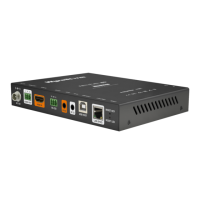
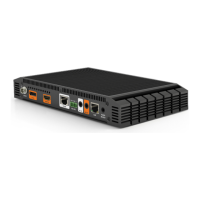
The WyreStorm 600 Series 4K HDR AV over IP SDVOE Encoder/Decoder (NHD-600-TX | NHD-600-RX) is a robust solution designed for high-performance audio-visual distribution over an IP network. This quickstart guide provides essential information for setting up and configuring the system, ensuring optimal performance and reliability.
The NHD-600 Series encoder/decoder system facilitates the transmission and reception of 4K HDR audio and video signals over a 10GbE IP network using SDVoE technology. The NHD-600-TX (encoder) takes a DisplayPort or HDMI input, along with audio, and converts it into an IP stream. The NHD-600-RX (decoder) receives this IP stream and converts it back to an HDMI output for display, also providing audio output. This allows for flexible and scalable AV distribution, enabling multiple sources to be routed to multiple displays across a network infrastructure. The system supports 4K HDR content, ensuring high-quality visuals with vibrant colors and contrast. It also includes integrated IR and RS-232 control pathways, allowing for seamless control of connected source and display devices directly through the NetworkHD system. The NHD-000-CTL (sold separately) acts as the central management unit, facilitating configuration and control of all encoders and decoders within the NetworkHD system.
The NHD-600 Series is designed for ease of use and flexibility in various AV environments.
Maintaining the NHD-600 Series system is straightforward, with several features designed to ensure long-term reliability and performance.
 General
| Category | Media Converter |
|---|---|
| Model Series | 600 Series |
| Manufacturer | WyreStorm |
| Video Input | HDMI |
| Video Output | HDBaseT |
| Max. Data Rate | 10.2Gbps |
| Control | RS-232, IR |
| RS-232 Pass-Through | Yes |
| IR Pass-Through | Yes |
| Power Supply | 12V DC |
| Fiber Connector | No |
| Audio Formats | Dolby Digital, DTS |
| Operating Temperature | 0°C to 40°C |
| Storage Temperature | -20°C to 60°C |

 To Next Page