Our Recommended Bluetooth Pairing
Procedure:
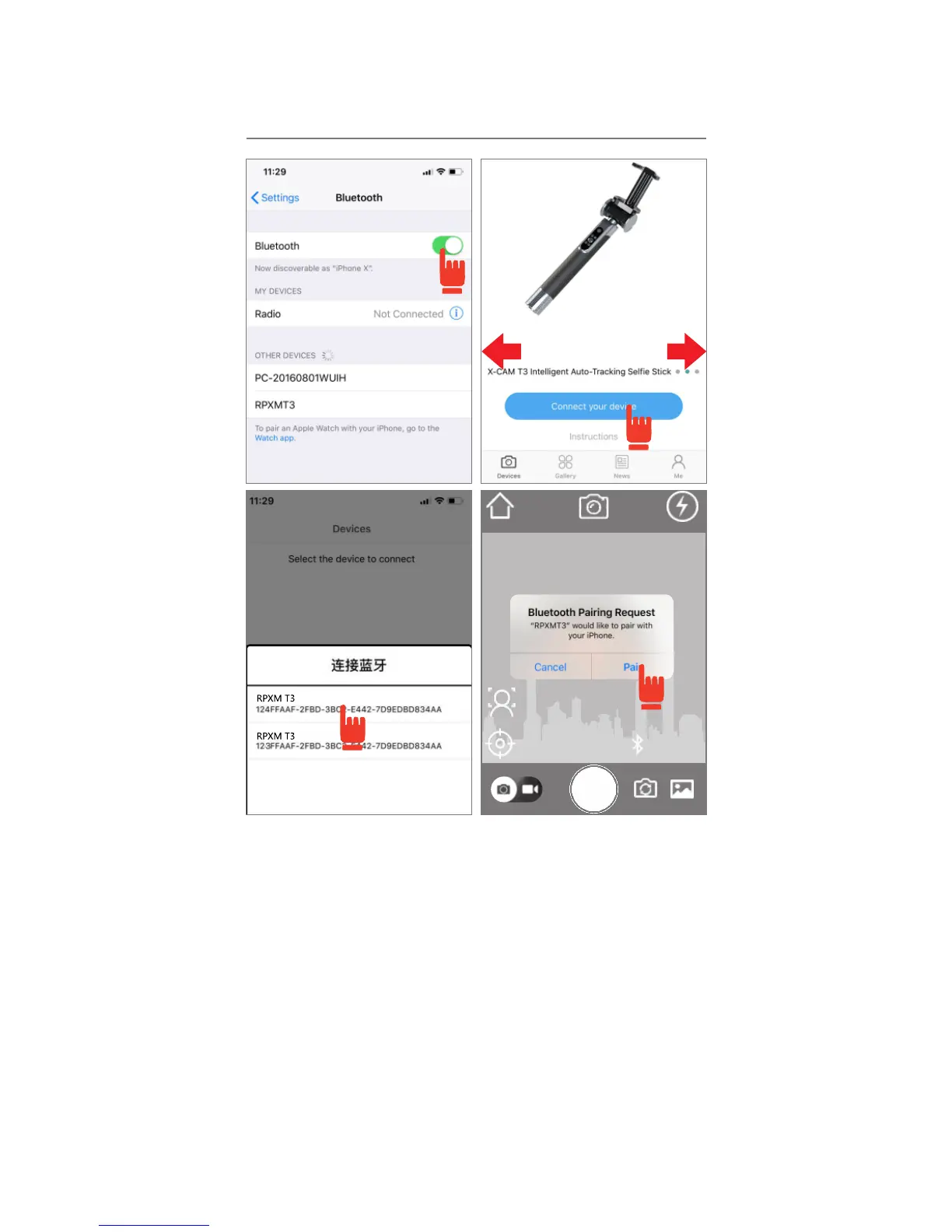
左右滑屏选择T3
1)TURN ON: Go to your device’s “Bluetooth
Settings” and turn ON your device’s Bluetooth.
2)CONNECT: Turn on the X-CAM VISION App,
and select “T3” and connect to this device.
3)SELECT: If there is only one device nearby, your
phone will connect to it automatically. If there are
multiple devices nearby, you will need to find your
device from a list of nearby devices. Please see
the illustration.
4)PAIRING: Select your device and pair. If you see
a solid blue light on your X-CAM, the device is
successfully connected to your phone.


 To Next Page
 Loading...