Default Bluetooth Connections only
enable basic X-CAM functions.
In-APP Bluetooth Connections enables more
functions on your X-CAM device. Please
download our APP.
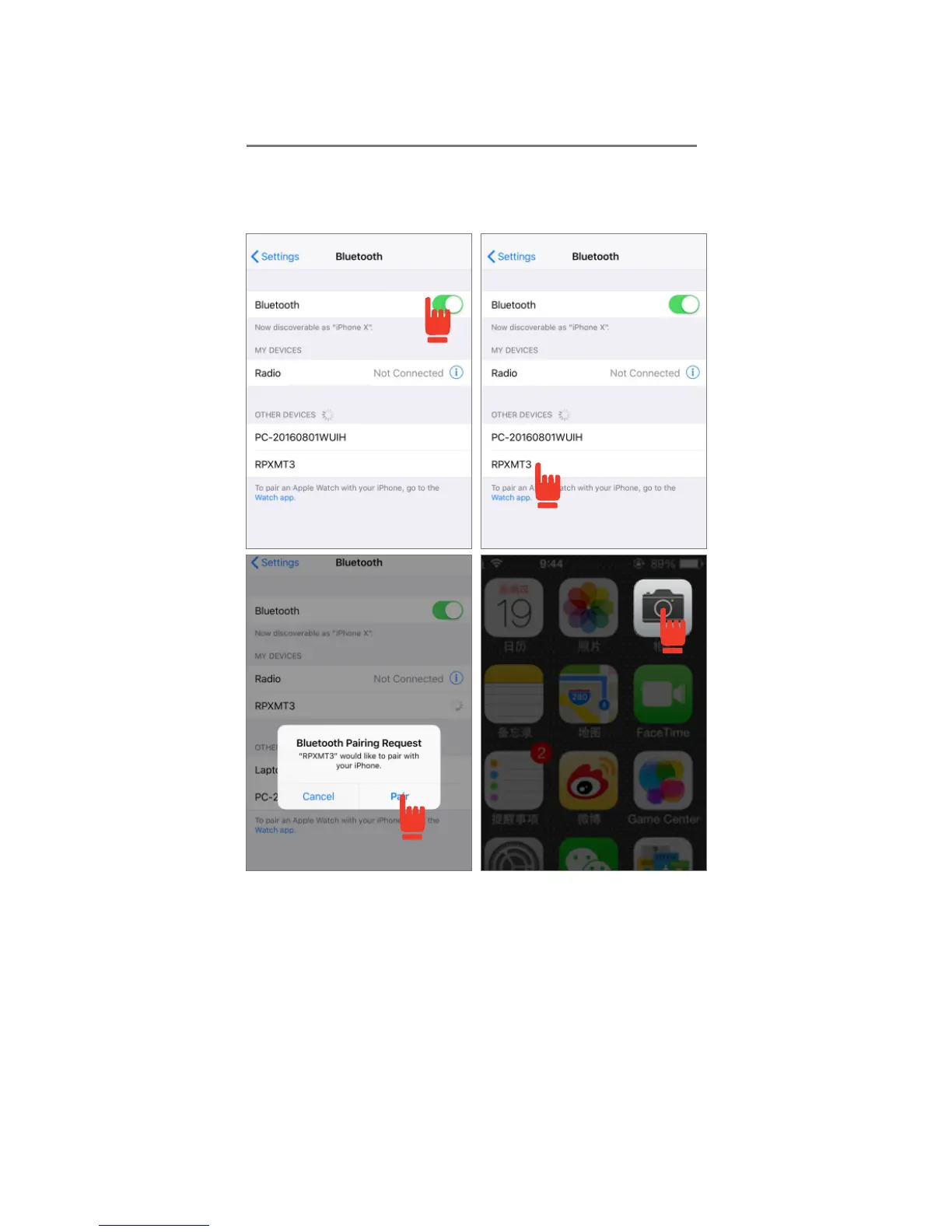
1)TURN ON: Go to your device’s “Bluetooth
Settings” and turn ON your device’s Bluetooth.
2)CONNECT: Select T3 in your phone’s Bluetooth
Settings to connect.
3)PAIRING: Select your device and pair. If you see
a solid blue light on your X-CAM, the device is
successfully connected to your phone.
4)START: Turn on your phone camera. X-CAM will
not interfere with any 3rd party photo filtering
apps in this mode.


 To Next Page
 Loading...