A
B
D
E
F I
K
G
H
C
J
L
APP Icons
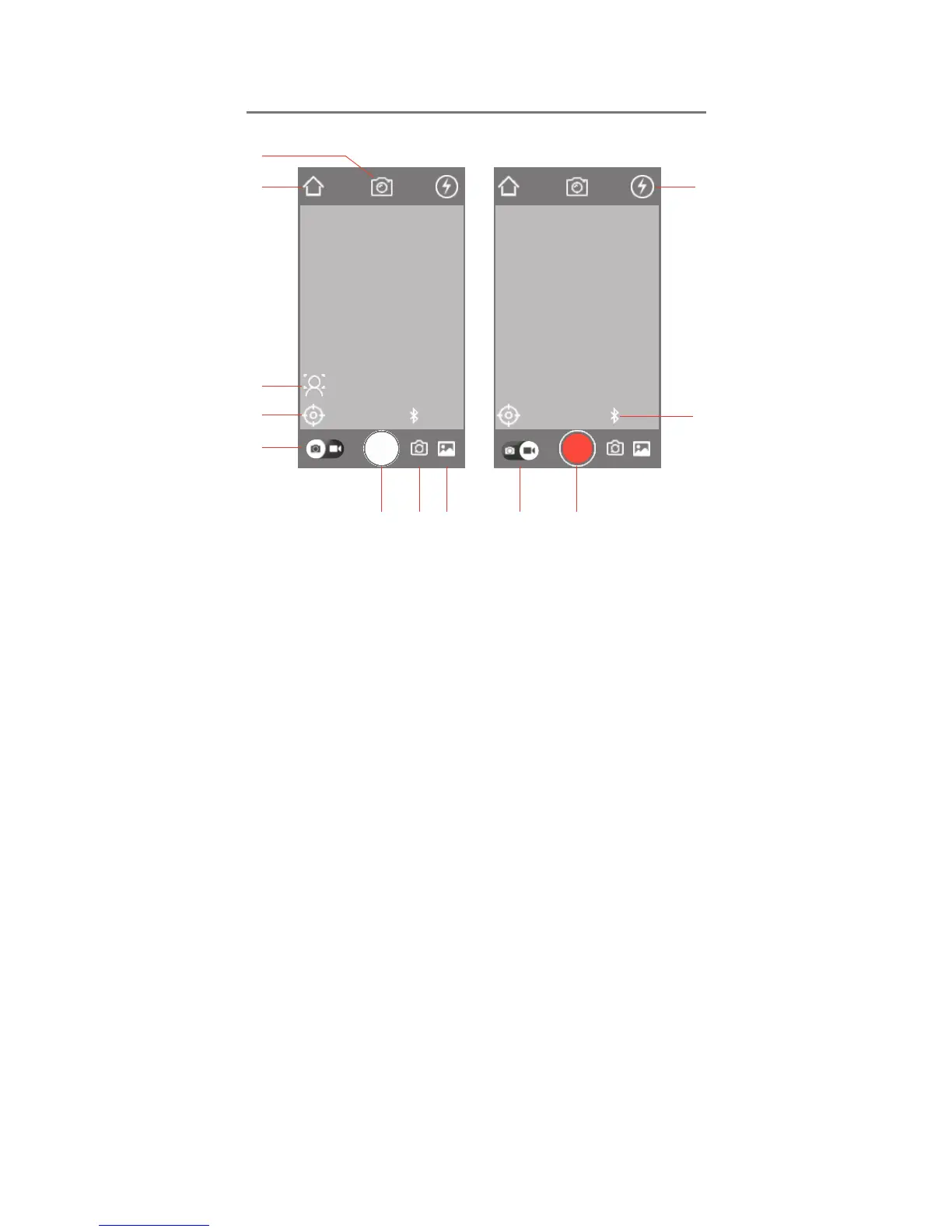
Photo Interface Video Interface
A:Size: Select Picture Size
B:Return: Return to Main Menu
C:Face Snap-Shot: Character-centered Snap-Shot
after 3 seconds of screen-freeze time.
D:Tracking: toggle the tracking function ON/OFF
E:Photo Capture: Right Swipe to switch to Video
Mode
F:Camera Shutter
G:Front/Rear Camera Switch
H:Media: view and share your photos and videos.
I:Video Recording: Right Swipe to switch to Photo
Mode
J:Video Record Shutter
K:Flash ON/OFF
L:Bluetooth Status: Connected/Not Connected



 To Next Page