Intelligent Facial Recognition and
Tracking
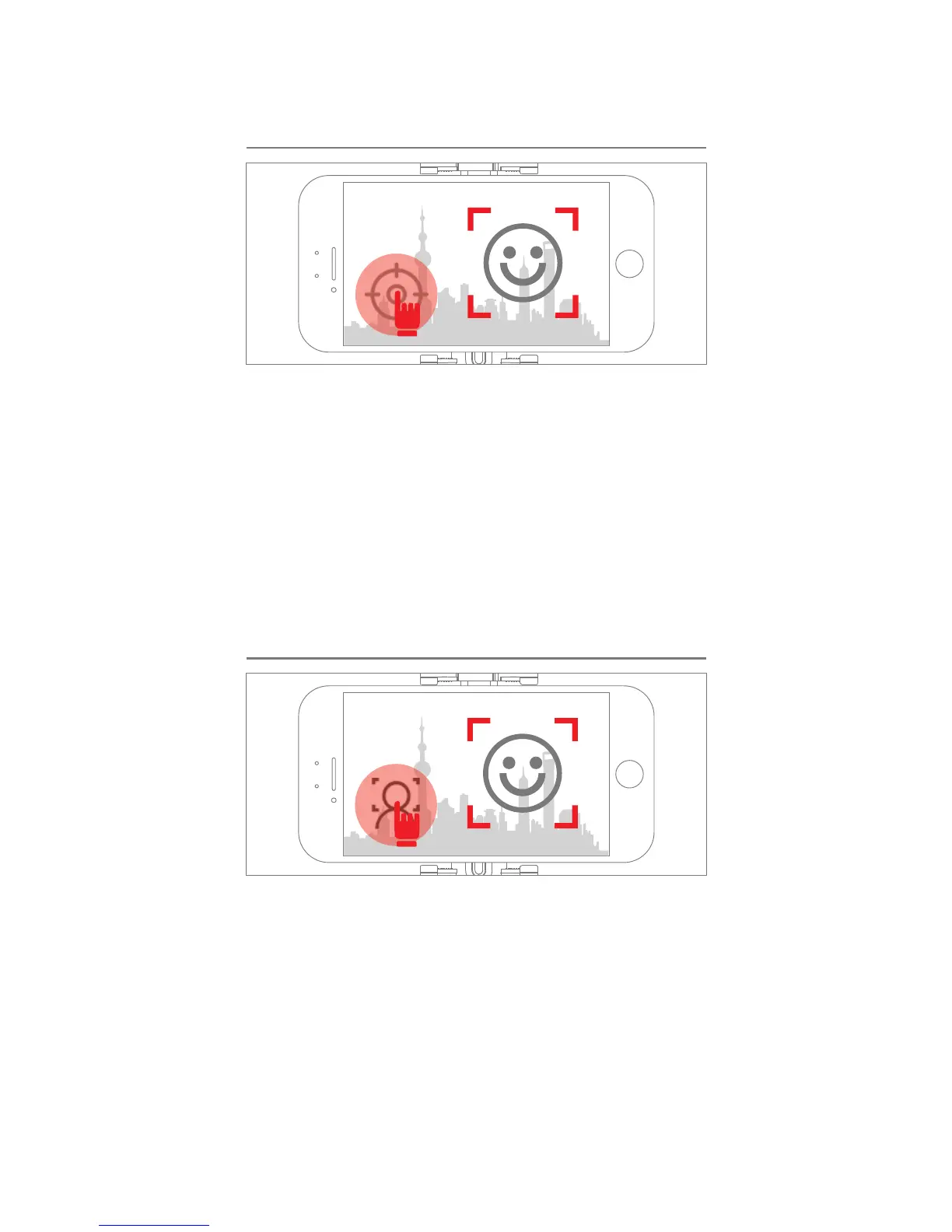
Please securely attach your phone to your X-CAM,
and turn on the X-CAM VISION App. Switch to
Videography Mode, and press the on-screen logo
shaded in RED (see illustration). The function is
TURN ON when the logo becomes BLUE; the
function is CANCELLED when the logo becomes
WHITE. With the function turn ON, your X-CAM will
recognize and track the subject of your recording
automatically.
Intelligent Facial Recognition Snap Shot
Under Videography Mode: press the on-screen
logo shaded in RED (see illustration). The
function is TURN ON when the logo becomes
BLUE; the function is CANCELLED when the
logo becomes WHITE. With the function turn
ON, if the photo frame/scene does not shift
within 5 seconds, your camera will take a
SNAP SHOT after a further 3 seconds. If the
photo frame/scene is shifted within these 3
seconds, the SNAP SHOT will be cancelled.


 To Next Page
 Loading...