Need help?
Do you have a question about the X10 SH624 and is the answer not in the manual?
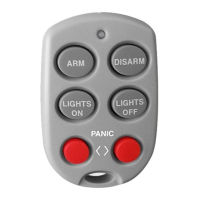
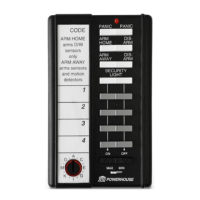
Steps to set the code wheel, insert batteries, and register the remote with the security console.
Details on using the MIN/MAX switch for arming delays and controlling system arming with motion sensors.
Explanation of ARM HOME and ARM AWAY modes, detailing which sensors are armed.
Instructions on how to trigger the panic alarm and how to cancel it.
Using ON-OFF buttons for X10 modules and Bright/Dim for lighting.
Guidance on replacing AAA batteries and ensuring the console recognizes the remote afterward.
 General
| Brand | X10 |
|---|---|
| Model | SH624 |
| Category | Remote Control |
| Frequency | 310 MHz |
| Range | Up to 100 feet |
| Dimensions | 6.5 x 2.5 x 1 inches |
| Weight | 4.8 oz |
| Type | Wireless Remote |
| Protocol | X10 RF |

 To Next Page