Need help?
Do you have a question about the X10 VR36A and is the answer not in the manual?
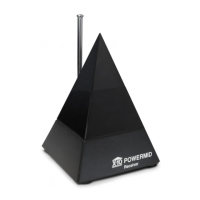
Explains the VR36A's function with X10 Wireless Cameras, transmitting video signals up to 100 ft.
Details FCC rules compliance, potential interference, and user responsibilities for proper operation.
Identifies the antenna, power supply jack, video out jack, and channel switch on the unit.
Instructions for connecting the Video Receiver's video out to the TV's video in or RF modulator.
Details on connecting the power supply, turning on the unit, and setting the channel switch.
Guidance on positioning antennas for best signal reception, considering reflections.
Solutions for common issues like channel mismatch, power, TV input, or VCR interference.
Tips for improving signal quality by managing interference and antenna placement.
Instructions for camera focus adjustment and resolving remote control or transceiver issues.

 To Next Page
 General