2
Connecting IR Receivers From Other Rooms
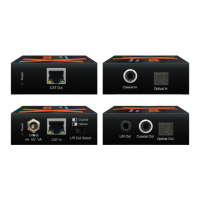
The CB12 Connecting Block, supplied with the 291-10, has a three terminal input strip for connection of
external infrared receivers should you wish to control your equipment from other rooms.
1. The terminals are marked V G S. (V= +12V, G=Ground, and S=IR Signal).
2. Make connections as shown in Fig. 4. Run a 3-conductor cable (24 to 18 gauge wire, stranded or
solid) from each remote room to the VGS terminals on the CB12.
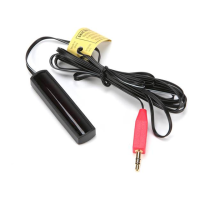
3. When you use a 291 IR Receiver in a remote room, do not plug in a power supply or use the "OUT"
jack on the CB12, as shown in Fig. 4.
4. You may use more IR receivers, connected in the same manner, up to a maximum of 12.
7-Foot 3-
Conductor
Cable with
Quick Connect
Mini Plug
291-00
IR Receiver
To 120 V AC
(unswitched)
781RG
Power Supply
(not included)
Hand Held
Remote
VCR
3-Conductor
Room-to-Room
Cable
(unshielded OK)
Equipment
Mounted Behind
Closed Doors
CB12
Connecting Block
780-10
J-Box
IR Receiver
OUT
VGS
IR
RCVR
PWR
GND
OUT
+12V
+12V
OUTPUT
GND
780-10
J-BOX RECEIVER
XANTECH CORPORATION
SYLMAR, CA 91342
CB12
Connecting
Block
OUT
VGS
IR
RCVR
PWR
291-00
IR Receiver
(See Text, above)
X X
286M
Dual Blink-IR™
Mouse Emitter
(not included)
Satellite Receiver
ROOM 2 ROOM 3
ROOM 1
Fig. 4 3-Conductor Cable to IR Receivers in Other Rooms
TROUBLE SHOOTING:
1. Perhaps the most common problem you may encounter is stray IR (infrared) or RF (Radio Frequency)
interference preventing proper operation of the controlled equipment.
Examples of such interference are:
• Fluorescent, Compact Fluorescent, Neon or Halogen lights, Neon Art, and light dimmers.
• Direct or reflected sunlight.
• Infrared security sensors (active types).
• RF radiation from TV sets that may be close to the 291-00 IR Receiver.
2. You can confirm the source of the interference by temporarily turning off the TV set, isolating the
291-00 Receiver from all sunlight and turning off all lights, light dimmers and Infrared security
systems. Then check to see if the 291-00 operates the component.
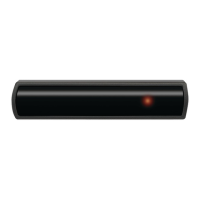
• Sometimes interference will cause the red Talk-Back LED on the front of the 291-00 to blink dimly,
intermittently, or continuously.
• The Talk-Back LED should only blink when you are sending infrared commands to the
291-00 from a remote control!
• It may be necessary to move either the interfering source or the 291-00 IR receiver to achieve
proper operation.
291-10


 To Next Page
 Loading...