27
www.xblitz.pl
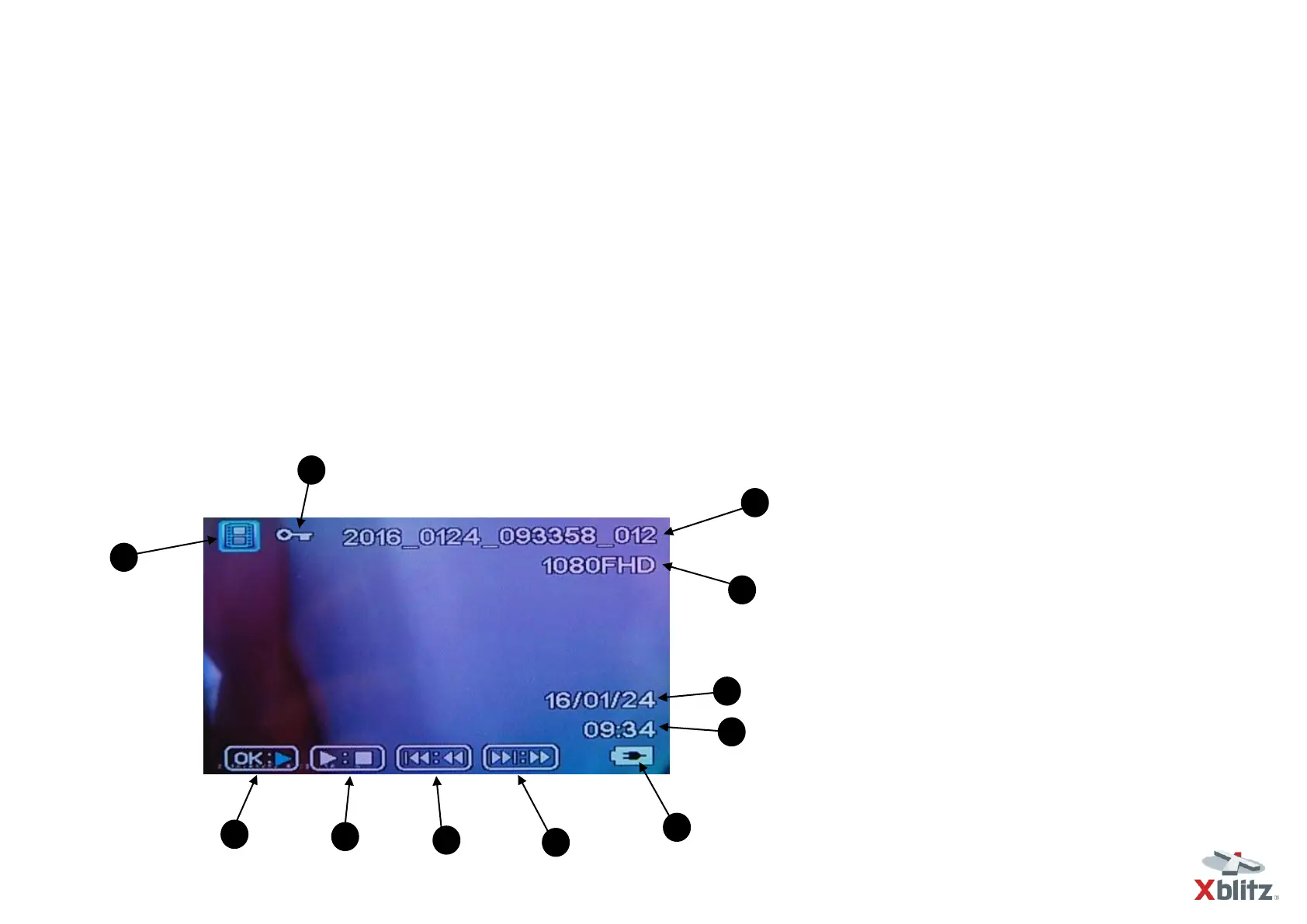
1- File type info
2- File Name
3- File quality
4- Date
5- Time
6- Battery (charging) indicator
7- Play
8- Fast forward
9- Fast rewind
10- Stop
Playback Mode
We use the OK key to play a video file.
We use UP and DOWN keys to navigate between files.
We use the MENU key to enter the settings.
We use the MODE key to navigate between different camera modes.
When playing video:
We can also use the OK key to activate Play/Pause command.
We can also use the MODE key to activate STOP command.
We can also use UP and DOWN keys to accelerate and slow down the playback.



 To Next Page