21
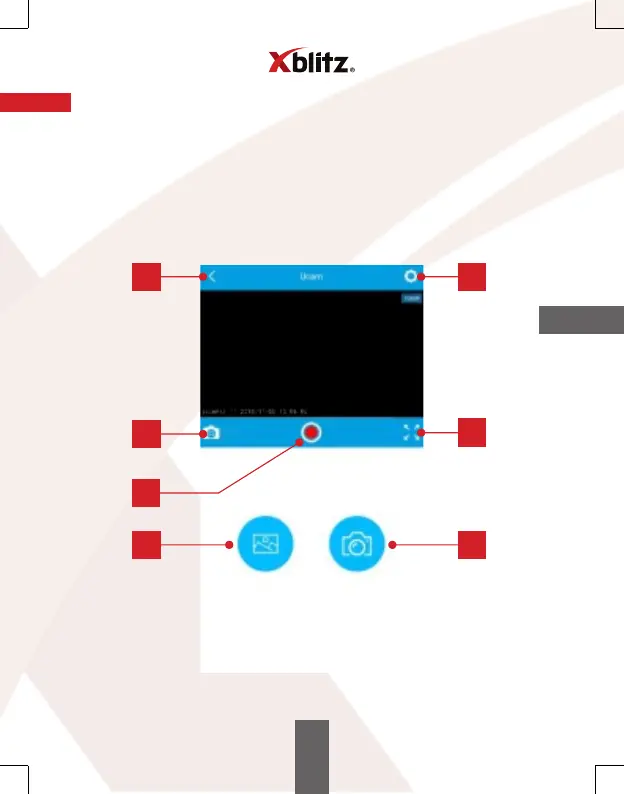
08. DESCRIPTION OF THE APP BUTTONS
1. BACK – takes you back to the main menu of the app.
2. SETTINGS – allows you to change the camera recording settings.
3. This button does not perform any function when you pair the app with Xblitz S4.
4. RECORDING – allows you to turn video recording on or o.
5. FULL SCREEN – this button extends the camera view to the entire screen of your
phone or tablet.
6. GALLERY – view and edit archived files recorded by the camera.
7. PHOTO – allows you to take a photo using the camera.
4
1 2
3
5
6
7
EN



 To Next Page