26
05. SCREEN & ICONS
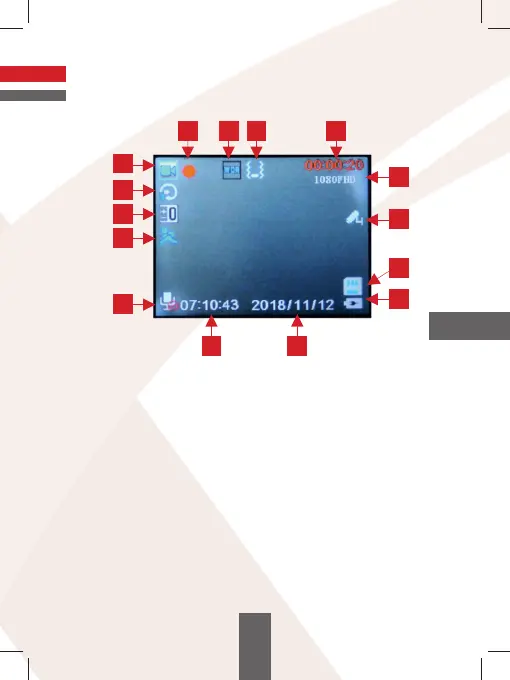
A. VIDEO MODE
1. Info about the camera working mode
2. Info about video recording
3. Info about WDR mode.
4. Info about set value of the G-sensor.
5. Length of the recording or if the camera does not record the space
left on the memory card expressed in the time left for recordings.
6. Info about set resolution
7. Info about parking mode
8. Info about inserted memory card.
9. Info about power supply.
10. Date.
11. Hour.
12. Sound recording status.
13. Info about Motion Detection.
14. Set exposure value.
15. Info about length of the recordings.
1
15
5
11
9
8
14
13
12
7
6
4
3
2
10
EN



 To Next Page