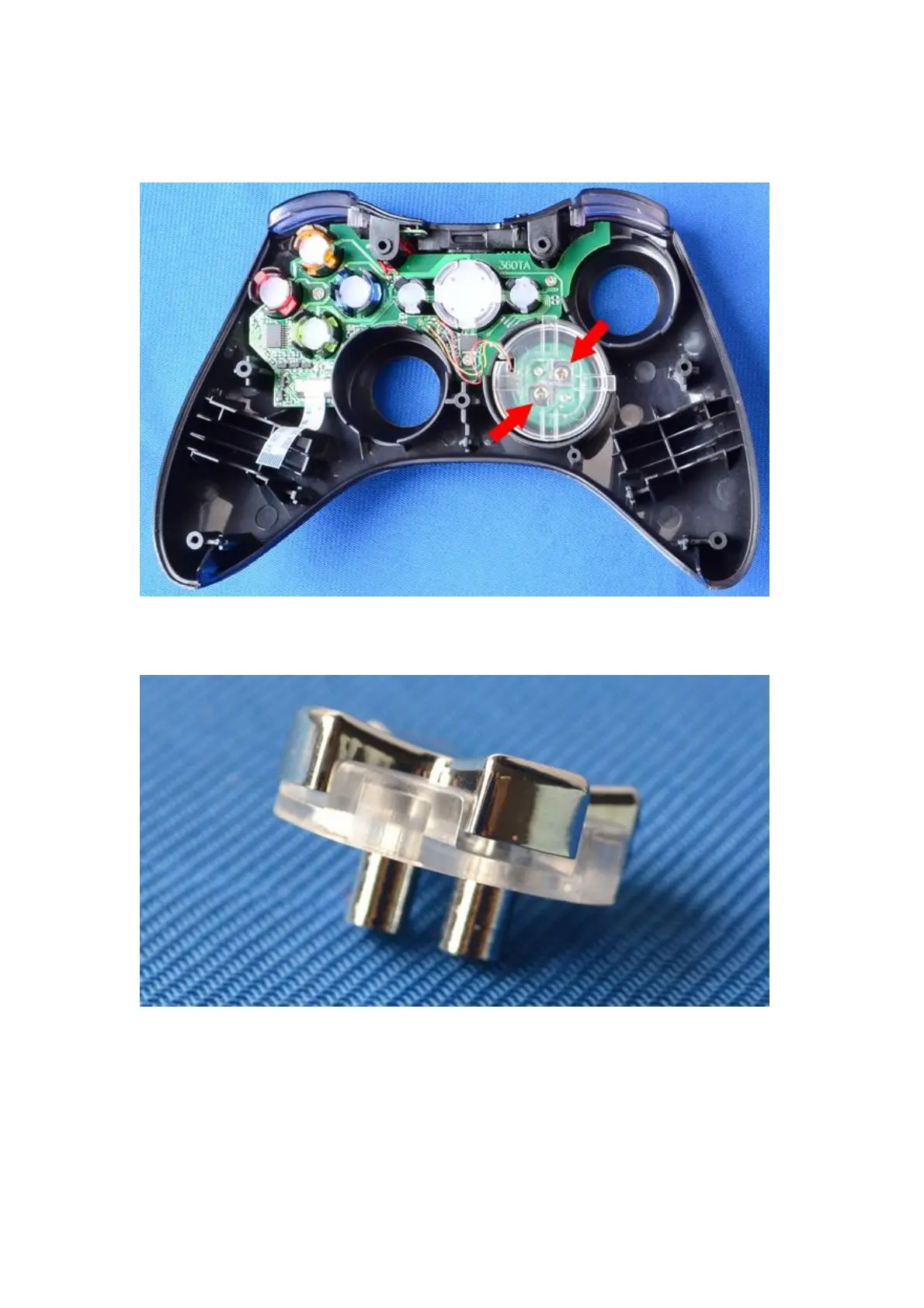
7. How to install the D pad
(1)First, use the red screw driver to remove the screws, remove the crystal D-pad button,
(as shown on the picture below)
(2)Install the chrome D-pad and the stand, fix it (by using the screws) properly onto the
socket ( as shown on the picture below)
8. How to operate:
a: Rapid fire function (with AUTO AIM function)
X1 (plus) shell built in with the rapid fire function on 2 Triggers, the RT and LT triggers,
the rapid fire rate is 20 shots per seconds
Turn on/off the rapid fire function: press and hold the LT button then press the P
button once, release the LT and P button , you are now able to turn on or off the rapid
fire function. The method to turn on/off the rapid fire function on the RT button is as
same as the previous steps.( press and hold the RT button then press the P button
once, now release the RT and P button , you are now able to turn on or off the rapid fire


 To Next Page
 Loading...