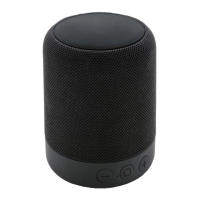
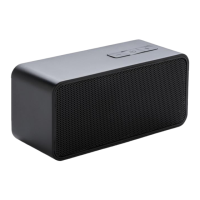
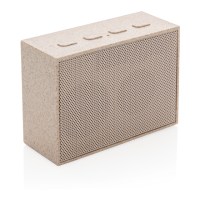
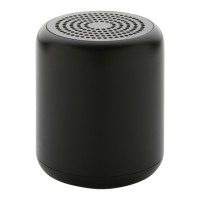
This document is a user manual for the XD COLLECTION Fabric Trend Speaker, a Bluetooth speaker designed for wireless music enjoyment. The manual provides instructions and specifications in multiple languages, including English, Dutch, German, French, Spanish, Swedish, Italian, and Polish.
Function Description
The Fabric Trend Speaker is a Bluetooth-enabled audio device that allows users to listen to music wirelessly from their mobile devices or computers. It features a compact design with a fabric finish, making it a stylish and portable audio solution.
Important Technical Specifications
- Pairing Name: "TREND SPEAKER"
- S/N Ratio: <80dB
- Speaker Driver: 40mm
- Output Power: 3W
- Wireless Frequency: 100Hz – 16KHz
- Battery Capacity: 300 mAh
- Bluetooth Version: V5.0
- Charging Time: Approximately 1.5 hours
- Playing Time: Approximately 3 hours
- Transmission Distance: 10m
Usage Features
The speaker includes several control buttons and ports for easy operation:
- AUX/BT-mode button (1): To switch between AUX and Bluetooth modes.
- Volume Down / Previous Track button (2): To decrease volume or go to the previous track.
- Volume Up / Next Track button (3): To increase volume or go to the next track.
- Power ON / OFF button (5): To turn the speaker on or off.
- Micro USB port (6): For charging the device.
Pairing Instructions:
To pair the speaker with a mobile device or computer, ensure that the Bluetooth mode on your device is switched on. Then, select "TREND SPEAKER" from the list of available Bluetooth devices to establish the connection.
Maintenance Features
Charging the Speaker:
The speaker is charged via a Micro USB cable.
- Connect the speaker to the USB charging cable.
- A RED LED indicator will light up, indicating that the speaker is charging.
- The LED indicator will turn off once the device is fully charged, signifying that the battery is full.
A full charge takes approximately 1.5 hours and provides about 3 hours of continuous playback.
Important Safety Instructions:
- Avoid Physical Damage: Do not drop the speaker, apply excessive force to the controls, or place heavy objects on top of it.
- No User Servicing: Do not attempt to repair, disassemble, or modify the product. The unit contains no user-serviceable parts.
- Child Supervision: Young children under the age of 7 years should be supervised to ensure they do not play with the product. Close supervision is necessary when the appliance is used by or near children under the age of 7.
- Storage: If the speaker is not used for long periods, store it in a dry place, free from extreme temperatures, humidity, and dust.
- Heat Sources: Keep the speaker away from any heat sources.
This manual ensures users can effectively operate and maintain their Fabric Trend Speaker for an optimal wireless audio experience.

 Need help?
 General

 To Next Page