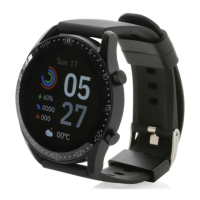
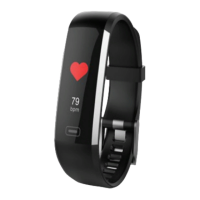
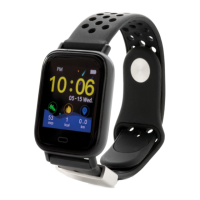
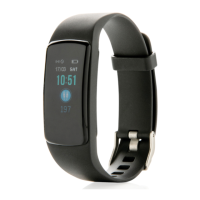
This document provides instructions and specifications for the XD Collection RCS Recycled TPE Fit Watch, a device designed for activity tracking and health monitoring.
Function Description
The Fit Watch is an electronic monitoring device that records and analyzes daily activities and sleep automatically. It features various display modes accessible via a single-point touchscreen sensor. The watch tracks daily steps, burned calories, and distance walked. It also includes health monitoring functions such as heart rate, blood pressure, and blood oxygen measurement. Users can receive messages directly on the watch. For fitness enthusiasts, it offers a training mode with different exercise types and a stopwatch function.
Important Technical Specifications
- Display: 1.3" screen
- Battery Type: Rechargeable Li-Poly Battery
- Battery Capacity: 180mAh
- Standby Time: 15 days
- Waterproof Level: IP67
- Data Sync: BT 5.0
- Working Temperature: -20~60°C
- Compatibility:
- Apple Store: iOS 8.0 & above
- Google Play Store: Android 4.4 and above (most common models)
- Support BT: 5.0
Usage Features
Device Activation & Charging:
Before first use, the watch must be charged for 2 hours using the included charger. Ensure the watch is charged for proper functioning.
Pairing the Device:
- Enable Bluetooth on your mobile device.
- Download the "Flagfit 2.0" app from the Apple App Store (for iOS 8.0 and up) or Google Play Store (for Android 4.4 and up) by searching or scanning the provided QR code.
- Open the app and select "add new device." The app will detect the Fit Watch.
- To find the watch's personal code, navigate to "more" in the watch's menu, hold the button for 3 seconds, then select "info" while holding the button for 3 seconds.
- Important: The device must be connected through the app; do not pair directly via Bluetooth on your mobile device.
Customizing the Bracelet:
After successful connection, personalize the app with your personal information (sex, height, weight, birthdate) and set daily workout goals (sports and sleep targets).
Changing Modes:
Tap the sensor on the activity tracker's screen to switch between different display modes:
- Home screen: Displays time, date, daily steps, burned calories, and distance walked.
- Weather: Press for 3 seconds for detailed weather information.
- Heart rate monitoring: Tap the screen until the heart rate icon appears, then wait approximately 10 seconds for the reading.
- Blood pressure: Measures blood pressure.
- Blood oxygen: Measures blood oxygen concentration.
- Messages: View received messages.
- Training: Long press to select training mode, scroll through options, and long press to select a training type.
- Stopwatch: Long press to select stopwatch mode, short press to start/pause, and long press to end.
Extra Options (via "More" menu):
- Info: Press for 3 seconds to view firmware version and Bluetooth address.
- Brightness: Press and hold to adjust brightness (4 levels available).
- Restore Settings: Press and hold for 3 seconds to clear all data from the bracelet (app data for that day will be cleared, historical data retained).
- Power Off: Press and hold for 3 seconds to switch off. The phone will vibrate simultaneously (unless in low power).
App Functions:
- Synchronization: Ensure synchronization is on daily to track activities and save history.
- Arrow: Start cumulative distance and time tracking.
- Step goal: View percentage of daily step goal completed.
- Sleep record: Check sleep information when wearing the watch during sleep.
- Heart rate: Select and press "start" to check current heart rate.
- Blood pressure: Select and press "start" to check current blood pressure.
- Feature: Change bracelet settings.
- Profile: Check app connection, create/log in to an account, modify daily step goal, and check app version.
Maintenance Features
- Cleaning: Periodically clean the watch, especially parts in contact with the skin, using a clean, moist cloth.
- Handling:
- Keep the band away from hot water and non-toxic substances.
- Do not use if the display is broken.
- Avoid exposing the product to extremely high or low temperatures.
- Do not expose the product to direct sunlight for prolonged periods.
- Do not use abrasive cleaners.
Important Note: This product is an electronic monitoring device and should not be used for medical reference or advice.

 Need help?
 General

 To Next Page