Need help?
Do you have a question about the XD COLLECTION TWS and is the answer not in the manual?
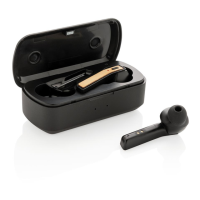
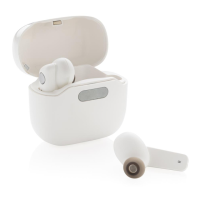
The XDCOLLECTION TWS earbuds in UV-C sterilizing charging case are designed to provide a wireless music experience with the added benefit of UV-C sterilization. This manual outlines the device's layout, pairing instructions, charging process, functions, UV sterilization details, technical specifications, and important maintenance notices.
The TWS earbuds allow users to enjoy music wirelessly via Bluetooth. The accompanying charging case not only recharges the earbuds but also incorporates a UV-C sterilization feature to sanitize them. The earbuds are designed for ease of use, with automatic power-on and power-off when removed from or placed back into the charging case. They automatically enter pairing mode when powered on, simplifying the connection process to smart devices.
The device consists of two main components:
To use the earbuds, simply press the on/off button on both earbuds to turn them on. The earbuds will automatically power on when taken out of the charging case and power off when placed back in. No button press is required for power on/off unless there is no charging case. When powered on, the earbuds will automatically pair with each other and enter pairing mode. To connect to a smart device, activate Bluetooth on your device and select "TWS UV-C earbuds."
To charge the earbuds, place them into the charging case. The light on the charging case will illuminate, indicating that the earbuds are charging. A full charge for the earbuds takes approximately 1.5 hours. To charge the charging case itself, connect it to a power source using the provided Micro USB cable. The charging case also takes about 1.5 hours for a full charge.
The earbuds offer several convenient functions for call and music management:
The UV-C sterilization process begins automatically once the earphones are inserted into the charging case and the case is closed. This process takes 90 seconds. If the charging case is opened during the sterilization process, the sanitizing will stop immediately. This feature helps maintain hygiene for the earbuds.
To ensure the longevity and proper functioning of the device, users should adhere to the following maintenance guidelines:
XDADO B.V. hereby declares that this product is in compliance with the essential requirements and other relevant provisions of Directive 2014/53/EU. The complete Declaration of Conformity can be found at www.xindao.com by searching on the item number XD P329.07X. This declaration ensures that the product meets the necessary European standards for safety, health, environmental protection, and electromagnetic compatibility.
 General
| Brand | XD COLLECTION |
|---|---|
| Model | TWS |
| Category | Headphone |
| Language | English |

 To Next Page