4
CONNECT YOUR
TRI-SCREEN 2
You can visit the online Getting Started Guide
tosee how to connect your specic laptop:
www.thexebec.com/pages/get_started
— or —
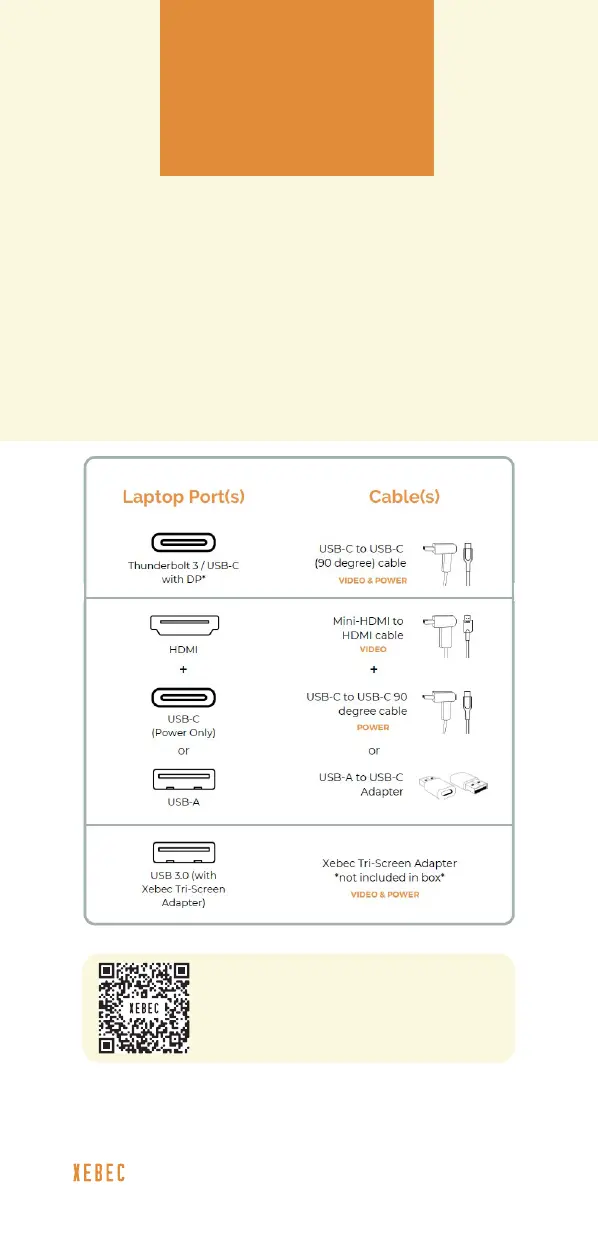
Reference the laptop ports shown below to
identify which cable(s) you will use to connect
each screen to your laptop.
To learn more or if you have any additional questions,
visit: www.thexebec.com/contact
If you didn’t purchase a Xebec
Tri-Screen Adapter at checkout,
scan the QR code to order now.



 To Next Page