
 Need help?
Do you have a question about the Xenics Bobcat 320 Gated and is the answer not in the manual?
Defines the purpose and applicability of the user manual.
Lists related documentation for further information.
Provides a chapter-by-chapter summary of the manual's content.
Explains typographical styles, symbols, and conventions used.
Outlines critical safety precautions for operating the camera.
Declares compliance with relevant standards and directives.
Provides contact details for Xenics headquarters and offices.
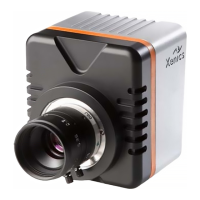
Presents mechanical outlines and optical axis fixation of the cameras.
Lists detailed technical specifications of the Bobcat 320 Gated camera.
Provides instructions for safely cleaning the camera lens.
Details of rear connectors for the Bobcat 320 Gated camera.
Identifies mating connectors for the camera's electrical interfaces.
Specifies the camera's power input requirements and connector pinout.
Describes the SMA connector and pin assignment for triggering.
Details the pinout for the analog video output signal.
Specifies the Ethernet connection type and cable requirements.
Explains the Camera Link interface signals and pin assignment.
Details the function of the system reset and rescue switches.
Explains the meaning and status indicated by the camera's LEDs.
Details the binary message format for data transfer and security.
Explains the text-based message format for system setup and debugging.
Provides instructions for installing the Xeneth imaging suite.
Details the installation process for the optional SDK.
Guides users through the initial software installation steps.
Provides information on connecting camera cables and interfaces.
Explains how to establish a camera connection using the Xeneth software.
Lists registers for auto-detection and house-keeping information.
Details system-level registers for camera operation and status.
Lists commands for controlling system functions and settings.
Common registers for cameras sharing the same platform.
Configuration options for trigger mode, delay, and skipping.
Specific registers available only in Bobcat Gated cameras.
Controls the behavior of the analog video output.
Registers related to track manager functionality.
Registers for XSP common features.
Registers for accessing and managing bulk memory.
 General
| Resolution | 320 x 256 |
|---|---|
| Sensor Type | InGaAs |
| Output Interface | Camera Link |
| Power Supply | 12V DC |
| Pixel Pitch | 30 μm |
| Spectral Range | 400-1700 nm |
| Pixel Size | 30 μm |
| Cooling | Thermoelectric |
| Operating Temperature | -20°C to 50°C |
| Detector | InGaAs FPA |

 To Next Page