
 Need help?
Do you have a question about the Xenta MD800 and is the answer not in the manual?
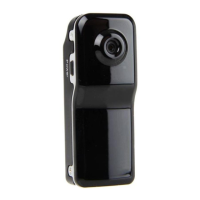
Outlines the camcorder's features like video/photo formats, resolution, viewing angle, battery, storage, and physical dimensions.
Explains the mandatory 8-hour initial charge and available charging methods via USB.
Details the steps to power on the device and initiate video recording, including indicator lights.
Explains how to activate sound control for automatic recording based on decibel levels.
Describes how to synchronize the device's time and date using a TAG.TXT file.
Instructions for manually powering off the device by holding the power button.
Details automatic power-off scenarios like low power, full disk, or inactivity.
Explains how the device appears as 'U Disk' on a PC for file access and management.
Instructions for installing drivers and using the device as a webcam with AMCAP software.
Procedure to reset the device to factory settings using a pin.
Provides safety advice regarding temperature, humidity, illumination, and dust.

 To Next Page
 General