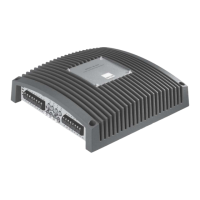
Important notice: stability of amplifiers
Normal operation:
Every amplifier is only capable of driving loads (speakers) up to a certain
limit, which is set either by the protection circuits or the maximum power
output. XETEC amplifiers accept loads down to 2 Ohms in normal
operation.
Bridged mode:
In bridged mode each two channels of the amplifier are driving the same
load, the acceptable impedance for each channel is also divided by two!
That means:
A normal amplifier „sees“ 4 Ohms as 4 Ohms. In a bridged amplifier,
each amplifier „sees“ 2 Ohms only! That´s why in bridged mode always
4 Ohms must be maintained although the amplifier might be 2-Ohms
stable.
Parabridge mode:
Due to the spezial crossconection of those 4 Amp sections in 1 Channel
mode the combined solution is again 2 Ohm stable.
Caution
This product is capable of conducting very high sound pressure levels,
and can thus be harmful to your health. Prolonged exposure to high
volume levels can cause hearing loss!
Please use restraint on the volume control. XETEC wants you to
enjoy your amplifier for a long time to come, and we do not take
responsibility for hearing loss nor other health problems.
How to configure the amplifier
First you should decide (perhaps with the help of your local XETEC
dealer) which configuration fits best to your car-audio solution.
For changing the configuration of the amplifier you must switch of
the amplifier and wait at least 30 sec until the suply voltages have
decreased.
Then you can remove the Top-Plate as well as the Scale-Plate which
enables you to see both of the Gain-Bords (in the middle) and the two
Configuration Modules. With the upper Module you are able to configure
channels 1-4, while the bottom module (close to the LEDs) is used to
configure channels 5-8. Basically there are three different types of Modules,
which can be used for channels 1-4 and 5-8 independantly.
For example if you are using two 1-Channel modules you get a 2-Channel
amplifier or if you are using a 2-Channel and a 4-Channel module you
get a 6-Channel amplifier. All possible configurations are shown in the
diagram below.
After inserting the Configuration Modules you may fix the Scale-Plate
and adjust Gain-Controls to minimum and then switch on the amplifier
again.


 To Next Page
 Loading...