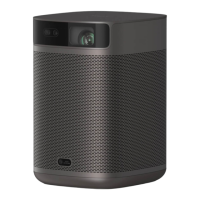
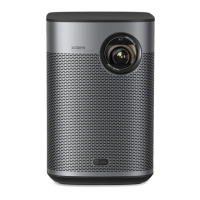
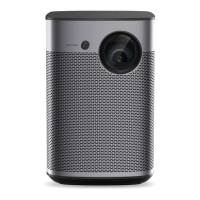
This document serves as a user guide for the XGIMI MoGo Series, providing instructions for its operation, features, and maintenance. It emphasizes the importance of reading the product instructions carefully before use to ensure safety and proper functionality.
Function Description
The XGIMI MoGo Series device is a portable projector designed for various entertainment and presentation purposes. It features multiple input options including HDMI, USB, and audio, allowing users to connect a wide range of devices. The device also supports Bluetooth speaker mode, transforming it into a portable speaker for playing music.
Usage Features
- Device On/Off: The device can be turned on by pressing and holding the power key for 2 seconds when it's off. To turn it off, press and hold the power key for 5 seconds when it's on.
- Remote Control Pairing: To pair the remote control, place it within 10cm of the device and simultaneously press the "Return" and "Home" keys. An indicator light will flash, signaling that the remote control is in pairing mode. The connection is successful when a "Ding" sound is heard. If pairing fails, repeat the steps after 30 seconds.
- Focus Adjustment: The device offers both automatic and manual focus adjustment. Automatic focus is activated when the function switch at the bottom of the remote control is moved to the right (Focus). This feature automatically adjusts the frame when the device is turned on or moved. For manual adjustment, once the function switch is in "Focus" mode, the "VOL +/-" keys on the remote can be used to fine-tune the focus. When the function switch is moved to the left (VOL), the "VOL +/-" keys revert to controlling the device's volume.
- Shortcut Key Function: A dedicated shortcut key on the remote control provides quick access to various functions.
- Google Assistant: The Google Assistant can be activated by pressing the designated button on the remote control. This allows for voice-activated access to film, television, music content, and other Google Assistant functionalities.
- Bluetooth Speaker Mode: To use the device as a portable Bluetooth speaker, navigate to "remote control and accessory" in the system settings and select "add new device." Then, search for "XGIMI MoGo" in your mobile device's Bluetooth settings, connect, and play music.
- Settings: The device offers a comprehensive settings menu accessible via the "Menu" key on the remote control. These settings include:
- 3D setting: For adjusting 3D video or signal sources (only available during video playback or signal source channel).
- Image mode: For adjusting image parameters under video or signal source.
- Frame ratio: For adjusting the frame ratio of the signal source (only available under HDMI channel).
- Voice output: For setting the voice output channel of the device.
- HDMI version: For setting the HDMI version.
- All settings: For accessing other related settings.
- Chromecast: The device supports Chromecast, allowing users to cast entertainment apps, movies, TV shows, music, games, and sports from Android, iOS, Mac, Windows, or Chromebook devices. Casting video and audio content to the TV is supported through the "Cast" icon in compatible mobile applications. Screencasting is designed to be uninterrupted by calls or messages and minimizes mobile phone battery consumption. The entire frame of Android phones or Chrome browser on PC can also be cast to the TV. Note that casting is optimized for selected services, and streaming quality may vary. Supported operating systems and devices include Android 2.3 and higher, iOS® 7 and higher, Windows® 7 and higher, Mac OS® 10.7 and higher, and Chrome OS (version 38 or higher).
Maintenance Features
- Charging Instructions: The device should be charged using an official, standardized adapter. Charging time may be longer if the device is charging while powered on. When plugged into the adapter while off, a blinking red indicator light signifies charging, while a green indicator light (which extinguishes after 10 seconds) indicates a full charge.
- Long-Term Storage: For long-term non-use, the device should be fully charged first. Press the power key for 5 seconds to enter battery protection mode (in this mode, the device cannot be started via remote control without being plugged into the power cable). To prevent irreversible capacity loss or damage due to low battery from self-discharge, the device should be charged once every 3 months.
- System Upgrade: The system can only be upgraded when the battery level is at least 50% or when the device is connected to power. Online upgrades can be performed through the system settings.
- Important Precautions:
- Avoid directing the lens into eyes due to the strong projector light.
- Do not block the air inlet/outlet to prevent damage from heat dissipation failure.
- Clean the lens surface with clean air blowing, avoiding direct wiping with cleaning tools like paper or cloth to prevent damage.
- Do not wash the device with chemicals, detergents, or any liquids to prevent corrosion of the circuit board.
- Keep the device and its accessories out of reach of children.
- Use the device in a dry and ventilated environment.
- Avoid storing the device in overheated or overcooled places (permissible environment: 0°C~40°C).
- Do not place the device into heating equipment for drying.
- Do not extrude the device firmly or place barriers on it or its back.
- Avoid throwing, striking, or sharply vibrating the device to prevent damage to the internal circuit board.
- Do not attempt to disassemble or assemble the device yourself; contact XGIMI after-sales service for any issues.
- Do not repair any product on your own; consult after-sales service for operational failures or return it to the factory for repair.
- Risk of explosion if the battery is replaced incorrectly; dispose of used batteries according to instructions.
- Disposal: The product contains a built-in rechargeable battery that should not be disposed of with normal household waste. It is advised to take the product to an official collection point or XGIMI service center for professional battery removal. Follow local rules for the separate collection of electrical and electronic products and rechargeable batteries to prevent negative environmental and health consequences. Removing the built-in battery yourself invalidates the warranty and may damage the product.

 Need help?
 General

 To Next Page