7
Turning the power on/off
Turning the power on
1
Long-press the power key for at least 4 seconds
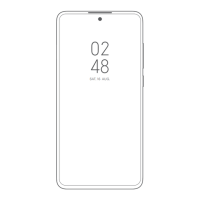
The•lock•screen•appears.
Swipe•(flick)•the•screen•to•unlock.•An•initial•settings•
wizard•appears•the•first•time•the•product•is•powered•on•
after•purchase.
Follow•the•onscreen•instructions•to•set•functions.
Turning the power off
1
Press the power key and up on the volume key at
the same time
2
Slide[ ] up
Forcing the product to turn off and
restart
You•can•force•the•product•to•turn•off•and•restart•if•the•
screen•is•unresponsive•or•the•product•does•not•turn•off•
with•normal•operation.
1
Long-press the power key for at least 10 seconds
Switching to English Display
Switch•the•language•displayed•on•the•screen•to•English.
1
Home screen→[設定(Settings)]→[追加設定
(Additional settings)]→[言語と入力(Languages &
input)]→[言語(Languages)]
2
[English]













 To Next Page