13
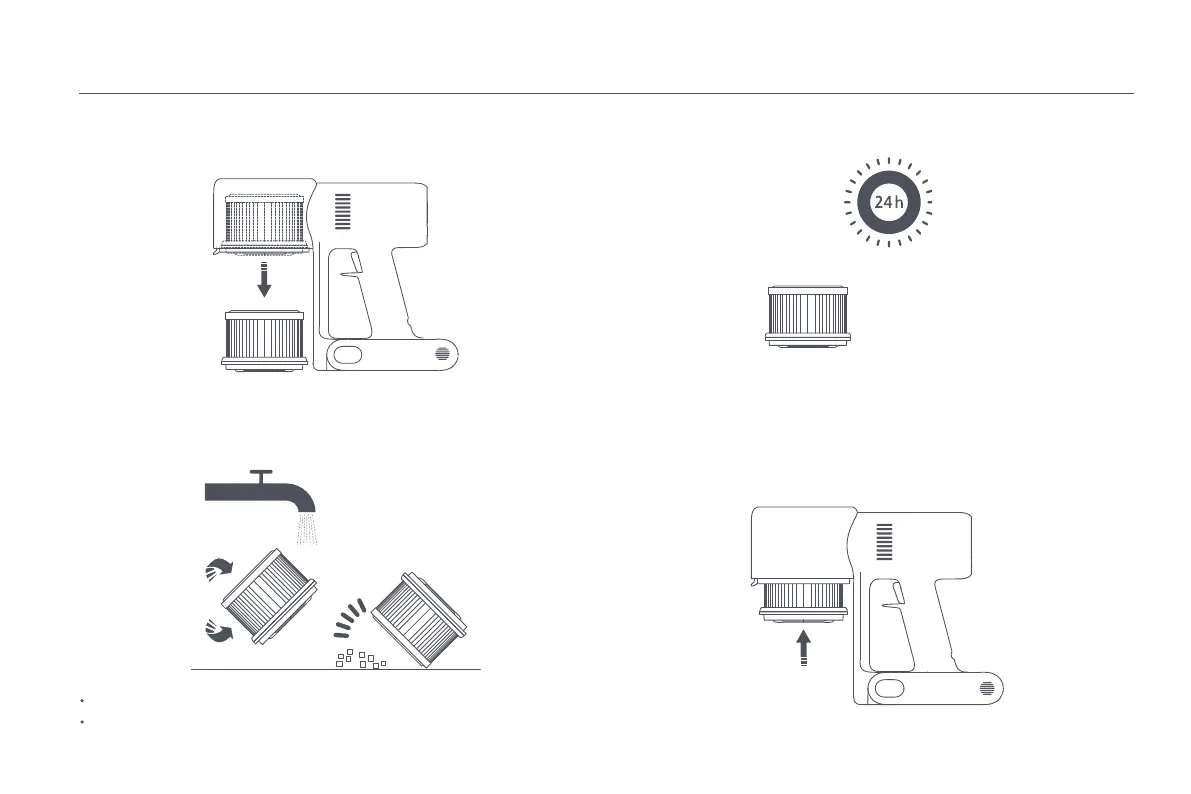
2. Remove the filter from the vacuum cleaner by pulling it down in the direction
shown in the figure.
3. Clean the filter with clean water. Make sure you rotate the filter 360° to
thoroughly remove all dust caught in the filter. Lightly tap the filter several
times to remove any excess dirt.
Notes:
Only use clean water to clean the filter. Do not use detergent.
Do not attempt to clean the filter with a brush or finger.
4. Allow the filter to thoroughly dry for at least 24 hours.
1. Insert the filter into the vacuum cleaner and gently press down, as illustrated.
Installing the Filter






 To Next Page