Need help?
Do you have a question about the Xiaomi MDZ-38-DB and is the answer not in the manual?
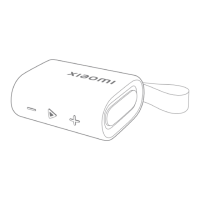
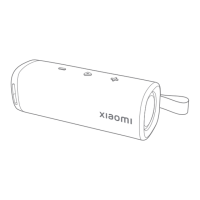
Turn the speaker on/off and initiate Bluetooth pairing by long-pressing the power button for 2 seconds.
Connect your mobile phone by selecting "Xiaomi Sound Outdoor" from the Bluetooth pairing list.
Pair two nearby speakers for stereo sound by pressing the ∞ button on each.
Connect multiple speakers for synchronized playback by long-pressing the ∞ button on each.
Manage incoming calls: answer, end, or reject calls using the speaker's buttons.
Understand the speaker's status through various indicator light behaviors like blinking or solid lights.
Reset the pairing list and default volume by long-pressing the + and buttons simultaneously.
Information on RoHS compliance, EU declarations, and RF frequency power.
Guidelines for safe usage, including battery handling, operating temperature, and avoiding damage.
Details on legal warranty rights, service contacts, and product warranty coverage.


 To Next Page
 General