EasyManua.ls Logo

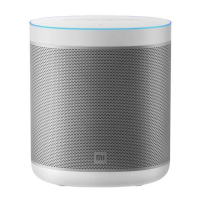
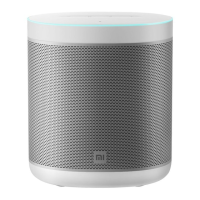
Xiaomi Mi Smart Speaker - User Manual

Xiaomi Mi Smart Speaker
53 pages
Print Icon
To Next Page IconTo Next Page
Loading...
All images are for illustration purposes only and may differ
from the actual product by model and region.
User Manual of
Mi Smart Speaker

Other manuals for Xiaomi Mi Smart Speaker

Question and Answer IconNeed help?

Do you have a question about the Xiaomi Mi Smart Speaker and is the answer not in the manual?

Summary

Product Packing List

Button Operations

Indicator Light Status

Device Setup Guide

Setup Prerequisites

Lists prerequisites for setup.

Download Google Home App

Instructions to download the necessary mobile application.

Powering the Device

Guidance on connecting the power adapter.

Device Configuration

Steps to configure the speaker via the app.

Voice Commands Usage

How to interact with the Google Assistant.

Core Product Features

Music and Entertainment Control

How to play music, podcasts, and radio hands-free.

Personalized Day Planning

Get weather, time, and schedule updates.

Task Management with Voice

Set alarms, timers, and reminders using voice.

Smart Home Control

Control smart home devices with voice commands.

Information Retrieval

Obtain information like calculations and translations.

Hardware Specifications

RF Frequency Specifications

Warranty Overview

Limited Product Warranty Terms

Warranty Remedies

Obtaining Warranty Service

Warranty Exclusions and Limitations

Implied Warranties Details

Limitation of Damages

Customer Support Contact

Summary

Product Packing List

Button Operations

Indicator Light Status

Device Setup Guide

Setup Prerequisites

Lists prerequisites for setup.

Download Google Home App

Instructions to download the necessary mobile application.

Powering the Device

Guidance on connecting the power adapter.

Device Configuration

Steps to configure the speaker via the app.

Voice Commands Usage

How to interact with the Google Assistant.

Core Product Features

Music and Entertainment Control

How to play music, podcasts, and radio hands-free.

Personalized Day Planning

Get weather, time, and schedule updates.

Task Management with Voice

Set alarms, timers, and reminders using voice.

Smart Home Control

Control smart home devices with voice commands.

Information Retrieval

Obtain information like calculations and translations.

Hardware Specifications

RF Frequency Specifications

Warranty Overview

Limited Product Warranty Terms

Warranty Remedies

Obtaining Warranty Service

Warranty Exclusions and Limitations

Implied Warranties Details

Limitation of Damages

Customer Support Contact

Xiaomi Mi Smart Speaker Specifications

General IconGeneral
Driver diameter63.5 mm
Number of speakers1
Audio output channels1.0 channels
FM radio-
Recommended usageUniversal
Built-in microphoneYes
Mobile operating systems supportedAndroid 10, Android 10.0, Android 4.4, Android 5.0, Android 5.1, Android 6.0, Android 7.0, Android 7.1, Android 7.1.2, Android 8.0, Android 9.0, iOS 10.0, iOS 11.0, iOS 11.4, iOS 12, iOS 13, iOS 14.5, iOS 9.0, iOS 9.1, iOS 9.2, iOS 9.3
RMS rated power12 W
Frequency range2.4 - 5 GHz
3.5 mm connectorNo
Bluetooth version4.2
Bluetooth profilesA2DP
Connectivity technologyWireless
Product typeMono portable speaker
Product colorWhite
Volume controlTouch
AC adapter input voltage12 V
Cables includedDC
Quantity per pack1 pc(s)
Input current1.5 A
Harmonized System (HS) code85182200
Weight and Dimensions IconWeight and Dimensions
Depth104 mm
Width131 mm
Height151 mm
Weight853 g

Videos

How to Connect Your Xiaomi Mi Smart Speaker in Minutes

How to Factory Reset Your Xiaomi Mi Smart Speaker (Fast & Easy)

How to Force Restart Xiaomi Mi Smart Speaker – Soft Reset

How to Enable Night Mode in Xiaomi Mi Smart Speaker

How to Broadcast via Xiaomi Mi Smart Speaker Through Google Home App

How to Disable "Hey Google" in Xiaomi Mi Smart Speaker

Related product manuals