EasyManua.ls Logo

Xiaomi Mi Air Purifier 2H - User Manual

Xiaomi Mi Air Purifier 2H
10 pages
Print Icon
To Next Page IconTo Next Page
Loading...
This version is for private use only and should not be distributed.
Mi Air Purifier 2H User Manual
Question and Answer IconNeed help?

Do you have a question about the Xiaomi Mi Air Purifier 2H and is the answer not in the manual?

Summary

Safety Warnings

Product Overview

Device Controls and Indicators

Details on power/mode buttons, Wi-Fi, modes, and reset functions for user interaction.

Product Components and Sensors

Overview of physical parts like fan grille, filter compartment, dust sensor, and connectors.

Air Quality Information

Explanation of air quality indicator colors and their corresponding levels.

Getting Started Instructions

Operation Details

Power and Mode Control

Instructions for turning the purifier on/off and switching modes using the power/mode button.

Light Brightness Adjustment

How to adjust the brightness of indicator lights using the light/filter reset button.

Air Quality Indicator Guide

Explanation of how indicator lights represent the current air quality.

Maintenance Procedures

Cleaning Filter Compartment

Guidance on cleaning ventilation holes and the filter compartment to ensure optimal performance.

Cleaning the Dust Sensor

Steps to clean the dust sensor and its cover using an air blow gun or hair dryer.

Filter Replacement and Wi-Fi Reset

Filter Replacement Guide

Instructions for replacing the filter and resetting the filter service timer.

Resetting Wi-Fi Connection

Procedure to reset the Wi-Fi connection if the phone is unable to connect.

App Connectivity and Specifications

Connecting with Mi Home App

Steps to download, install, and connect the purifier with the Mi Home/Xiaomi Home app.

Product Specifications

Technical details including voltage, power, dimensions, coverage, and efficiency.

Regulatory Compliance and Disposal

EU Declaration of Conformity

Information regarding the product's compliance with EU directives.

Disposal and Recycling Information

Guidance on proper disposal of waste electrical and electronic equipment.

Comprehensive Safety Precautions

Moving and Installation Safety

Precautions for moving the purifier and ensuring correct installation and clearance.

Power Cord and Outlet Safety

Guidelines for using the power cord and outlets to prevent hazards.

Safe Usage Practices

Recommendations for operating the purifier safely, avoiding obstructions and misuse.

Overview

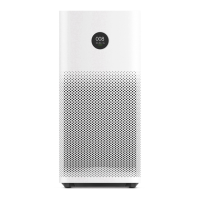
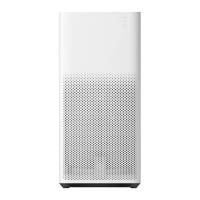
The Mi Air Purifier 2H is an air purification device designed to improve air quality in indoor environments. It features a sleek, vertical design with a fan grille at the top and air inlets on the sides. The device is controlled via a power/mode button and includes a Wi-Fi indicator and a mode indicator to display its current operating status.

Function Description

The primary function of the Mi Air Purifier 2H is to filter and purify the air. It operates by drawing in air, passing it through a filter, and then releasing cleaner air. The device offers multiple operating modes, including:

  • Auto Mode: This mode automatically adjusts the purification settings based on the current air quality conditions, ensuring optimal performance without manual intervention.
  • Night Mode: Designed for quiet operation, this mode provides low-noise purification, making it suitable for use during sleep.
  • Manual Mode: Users can adjust and manage settings via a connected app, allowing for personalized control over the purification process.

The device also features an air quality indicator that uses a color-coded light (green, orange, or red) to visually represent the current air quality, providing immediate feedback to the user.

Usage Features

To begin using the Mi Air Purifier 2H, follow these steps:

  1. Filter Installation: Ensure the filter compartment panel is correctly installed. The filter is crucial for the device's purification function.
  2. Power Connection: Take out the power cord from the filter compartment, close the panel, and then connect the power cord to the power connector at the bottom of the purifier. Finally, plug the power cord into a power outlet.
  3. Power On/Mode Switching: Press the power/mode button to turn on the purifier. Subsequent presses of this button will cycle through the different operating modes.
  4. Power Off: To turn off the purifier, press and hold the power/mode button for two seconds.
  5. Light Brightness Adjustment: The light/filter reset button on the back of the purifier can be pressed to adjust the brightness of the indicator lights. The brightness levels include strong, soft, and off.
  6. App Connectivity: The Mi Air Purifier 2H can be controlled via the Mi Home / Xiaomi Home app. Users can download the app by scanning a QR code or searching for it in an app store. Once installed, the app allows for remote control and management of the purifier's settings. To add the device, open the app, tap "+" in the upper right corner, and follow the prompts.
  7. Wi-Fi Reset: If there are issues connecting the phone to the air purifier, the Wi-Fi can be reset by simultaneously pressing and holding the mode and light buttons for 5 seconds. A beeping sound will confirm a successful reset.

Maintenance Features

Regular maintenance is essential to ensure the Mi Air Purifier 2H operates effectively and has a long lifespan.

  • Safety First: Always turn off and unplug the purifier before performing any cleaning or maintenance tasks on the filter compartment or dust sensor.
  • Filter Replacement: The filter typically needs replacement every 6-12 months. When replacement is due, the filter replacement indicator will blink red. Detailed instructions for filter replacement can be found on a label inside the filter compartment panel. After replacing the filter, turn on the purifier, and press and hold the filter reset button for 6 seconds. A beeping sound will confirm that the filter has been successfully replaced and the service time reset. If the filter becomes saturated with harmful gases and emits odors, it can be placed in a sunny and ventilated area to help eliminate the odors.
  • Cleaning Filter Compartment: To maintain optimal purification performance, use a vacuum cleaner or a soft cloth to remove any dust from the ventilation holes and the filter compartment.
  • Cleaning Dust Sensor: The dust sensor is located behind a cover inside the filter compartment panel. To clean it:
    1. Locate the latch of the dust sensor's cover at the top inside the filter compartment panel.
    2. Lift the latch to open the cover.
    3. Use an air blow gun or a hair dryer to clean the dust sensor and its back cover.

Safety Precautions

  • Moving the Device: Always turn off and unplug the purifier before moving it.
  • Placement: Avoid unstable surfaces where the unit could topple. Do not use the purifier in high-temperature, humid, or wet places like bathrooms. Maintain a distance of at least 20 cm between the air inlets and walls or other objects to ensure proper airflow.
  • Power Cord: Use only the power cord provided by Mi and plug it into suitable power outlets. Do not use the provided power cord with other products. Always unplug the purifier before maintenance or transport. Avoid over-tightening, bending, or twisting the power cord, and do not pull the cord when unplugging.
  • General Usage: Discontinue use immediately if abnormal noise, odors, excessive heat, or irregular fan rotation occurs. Do not insert fingers or foreign objects into the fan grille, air inlet, or air outlet. Keep hair and fabric away from these openings. Do not sit on, lean on, or tilt the purifier. When using the purifier in conjunction with gas appliances (e.g., gas stoves, water heaters), ensure adequate ventilation to prevent carbon monoxide poisoning.

Xiaomi Mi Air Purifier 2H Specifications

General IconGeneral
Wi-FiYes
Efficiency99.97 %
Cord length1.8 m
Noise level66 dB
Air purify rate260 m³/h
Number of speeds-
Noise level (night mode)33 dB
Suitable for room area up to31 m²
Clean Air Delivery Rate (CADR) (formaldehyde)60 m³/h
Product colorWhite
Built-in displayNo
Filter life (max)12 month(s)
Particle filtration0.3 µm
AC input voltage100 - 220 V
AC input frequency50 - 60 Hz
Power consumption (max)31 W
Power consumption (typical)4.8 W
Package depth289 mm
Package width290 mm
Package height580 mm
Package weight6600 g
Weight and Dimensions IconWeight and Dimensions
Width240 mm
Height520 mm
Weight5200 g

Related product manuals