EasyManua.ls Logo

Xiaomi Mi RA75 - User Manual

Xiaomi Mi RA75
9 pages
Print Icon
To Next Page IconTo Next Page
Loading...
All images are for illustration purposes only and may
differ from the actual product by model and region.
Question and Answer IconNeed help?

Do you have a question about the Xiaomi Mi RA75 and is the answer not in the manual?

Overview

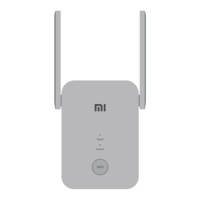
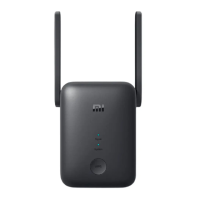
The device is a Mi WiFi Range Extender AC1200, designed to extend the range of your home WiFi network.

Technical Specifications

  • Name: Mi WiFi Range Extender AC1200
  • Model: RA75
  • Operating Temperature: 0-40°C
  • Input: 100~240VAC, 50/60Hz, 0.3A
  • Operating Frequency:
    • 2400MHz~2483.5MHz
    • 5150MHz~5350MHz
    • 5470MHz~5725MHz
    • 5725MHz~5850MHz

Device Features

The device has several indicators and buttons for operation:

  • Signal Indicator:

    • Solid blue: Indicates the range extender is connected to your existing network and receiving a strong signal.
    • Solid orange: Indicates the range extender is receiving a weak signal. Relocating the extender closer to the router is recommended for better performance.
    • Solid red: Indicates the range extender is disconnected from the network. You should try to relocate it within the range of your router.
    • Flashing red: Indicates the range extender is ready for initialization.
    • Off: Indicates the range extender is unready for connection.
  • System Indicator:

    • Solid blue: Indicates the system is running normally.
    • Flashing blue: Indicates WPS (Wi-Fi Protected Setup) is processing.
    • Solid orange: Indicates the system is booting up.
    • Flashing orange: Indicates the system is undergoing an upgrade.
    • Off: Indicates no power to the device.
  • WPS Button: Press this button to launch the WPS Wizard, which simplifies the connection process to a compatible router.

  • Reset Button: Press and hold this button for at least 5 seconds to restore the device to its factory settings.

Usage and Installation

The installation process for the Mi WiFi Range Extender AC1200 involves three main steps:

Step 1: Power On Plug the range extender into a power outlet. It is recommended to place it close to your router initially for setup. Wait until the 'Signal' indicator turns flashing red, which signifies it is ready for initialization.

Step 2: Set Up There are two methods for setting up the range extender:

  • Method 1: APP Setup (Recommended)

    1. Download the Mi Home APP or Xiaomi Home App on your smartphone or tablet.
    2. Follow the in-app instructions to complete the setup process. This method typically offers a more guided and user-friendly experience.
  • Method 2: WPS Button Setup

    1. If your router has a WPS button, press it.
    2. Within 2 minutes of pressing the WPS button on your router, press the WPS button on the range extender.
    3. The 'Signal' indicator on the range extender should turn solid blue once the connection is successfully established.

Step 3: Reposition your range extender After the initial setup, you should reposition the range extender. Plug it into a location that is situated between your main router and the Wi-Fi dead zone you wish to cover. The goal is to achieve optimal signal quality. Look for a location where the 'Signal' indicator remains solid blue. If the indicator shows orange or red, it suggests a weak signal, and you should try relocating the extender closer to the router until a solid blue signal is achieved.

Extended WiFi Network Details

After successful setup, the extended Wi-Fi networks will have default names and passwords:

  • 2.4G WiFi: The router's original Wi-Fi name with '_Plus' appended at the end (e.g., "MyHomeWiFi_Plus").
  • 5G WiFi: The router's original Wi-Fi name with '_Plus_5G' appended at the end (e.g., "MyHomeWiFi_Plus_5G").
  • Password: The password for the extended networks will be the same as your original router's Wi-Fi password.

Troubleshooting and Maintenance

The manual provides solutions to common issues:

  • Device not found during setup: If the Mi Home APP/Xiaomi Home App doesn't find your device, you can manually locate "Mi WiFi Range Extender AC1200" in the in-app device list and follow the instructions to add it.

  • Range Extender stops working:

    1. Poor signal: If the signal is poor, move the range extender to another location where there are no large obstacles between it and the router.
    2. Offline: If the range extender is offline, ensure your router is emitting a Wi-Fi signal. If the router is working normally, restart the range extender and try again.
    3. Blacklisted: Check if your router has blacklisted the range extender.
    4. Persistent issue: If problems persist, hold down the reset button for at least 5 seconds until the indicator turns constant orange. Then, reconfigure the settings.
  • Connecting to a new Wi-Fi network: To connect the range extender to a different Wi-Fi network, you must reset the device to factory settings and then reconfigure it following the initial setup steps.

Certifications

The Mi WiFi Range Extender AC1200 complies with Part 15 of the FCC Rules for Class B digital devices. This means it is designed to provide reasonable protection against harmful interference in a residential installation. The device generates, uses, and can radiate radio frequency energy.

FCC Compliance Conditions:

  1. The device may not cause harmful interference.
  2. The device must accept any interference received, including interference that may cause undesired operation.

Caution: Any changes or modifications not expressly approved by the party responsible for compliance could void the user's authority to operate the equipment.

Radiation Exposure Statement: This equipment complies with FCC radiation exposure limits set forth for an uncontrolled environment. It should be installed and operated with a minimum distance of 20 cm between the radiator and your body. The transmitter must not be co-located or operating in conjunction with any other antenna or transmitter.

If the equipment causes harmful interference to radio or television reception, which can be determined by turning the equipment off and on, the user is encouraged to try to correct the interference by one or more of the following measures:
  • Reorient or relocate the receiving antenna.
  • Increase the separation between the equipment and receiver.
  • Connect the equipment into an outlet on a circuit different from that to which the receiver is connected.
  • Consult the dealer or an experienced radio/TV technician for help.

Xiaomi Mi RA75 Specifications

General IconGeneral
BrandXiaomi
ModelMi RA75
CategoryExtender
LanguageEnglish

Related product manuals