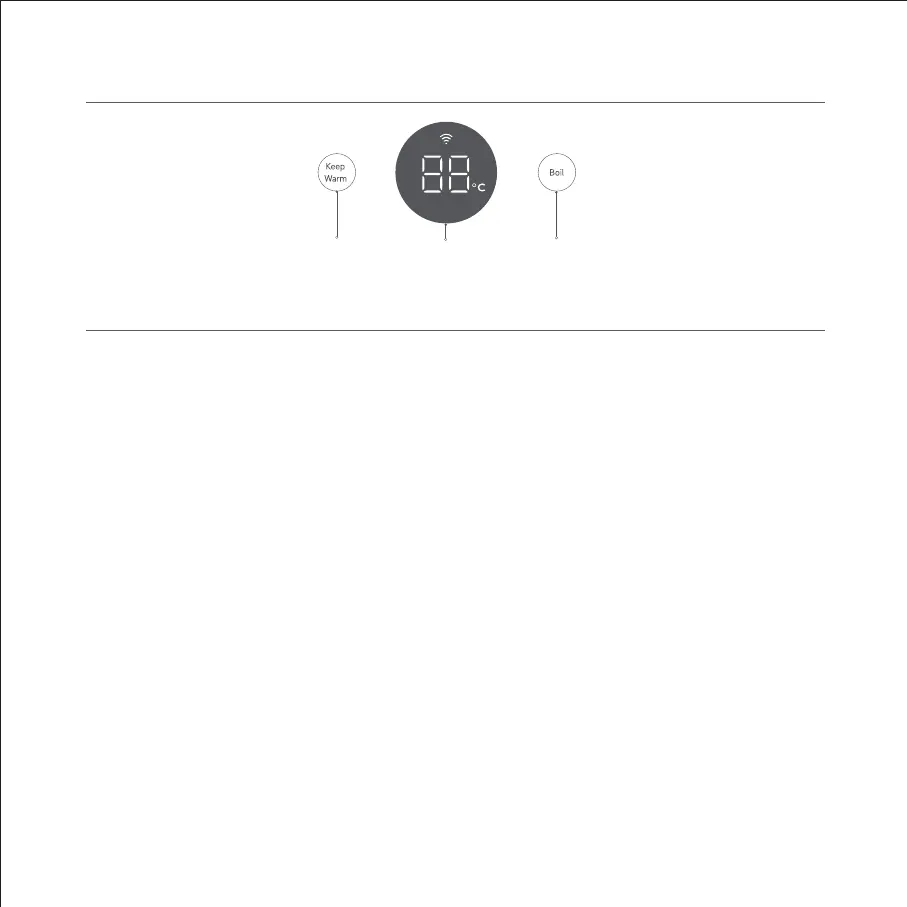
Boil ButtonKeep Warm
Button
Display
Control Area
Once connected to the power, it is ready to use.
1. Select a function
In standby mode, turn the knob to select a temperature and the kettle will automatically enter the heating or keeping
warm state once the keep warm or boil button is pressed. The display will go off automatically if there is no operation
within 2 minutes, and it will light up when the boil or keep warm button is tapped, or the kettle is lifted (this operation
will only light up the display and will not activate functions). Other operations can be performed after the display is
turned on.
Note: The knob can be adjusted by 1 °C at 40 °C to 90 °C by default. The temperature may also be adjusted by level (six levels available)
in the Mi Home/Xiaomi Home app, including four levels of 45 °C, 60 °C, 70 °C and 85 °C, and two custom temperature levels.
2. Automatically keep warm after boiling
Notes:
1. The indicator on the display turns red during heating, and it will change to blue after the set temperature is reached.
2. The default keep warm duration for all temperature levels is 24 hours, which can also be customized from 1 to 24 hours in the Mi
Home/Xiaomi Home app.
3. The highest temperature shown is 99 °C after boiling.
3. Heat directly to the keep warm temperature
state directly with current temperature once the keep warm button is pressed.
How to Use
3


 To Next Page
 Loading...