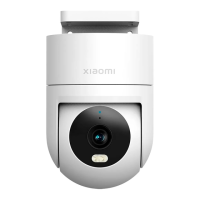
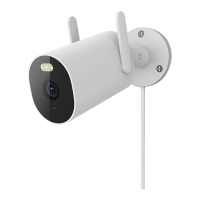
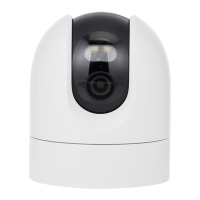
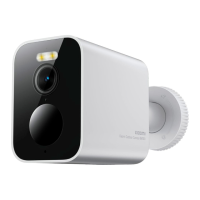
The Xiaomi Outdoor Camera CW400 is a robust and versatile security camera designed for outdoor surveillance, offering a range of features for effective monitoring and user convenience. This manual provides comprehensive instructions for its setup, operation, and maintenance, ensuring users can maximize its capabilities.
Function Description
The primary function of the Xiaomi Outdoor Camera CW400 is to provide high-quality video surveillance for outdoor environments. It is equipped with a lens, an indicator light, a microphone, and a white light, all integrated into a durable, weather-resistant housing. The camera supports microSD card storage, allowing for local recording of footage. Its design includes a waterproof cover for the microSD card slot and a power port, ensuring protection against environmental elements. The camera is designed to be connected to the Mi Home/Xiaomi Home app, which serves as the central control hub for managing the device and interacting with other smart home devices. Through the app, users can access live feeds, review recorded footage, and configure various camera settings. The CW400 is built to operate within a wide temperature range, making it suitable for diverse outdoor conditions. It also features a reset button for easy re-configuration when changing networks or connected Xiaomi Accounts.
Usage Features
The Xiaomi Outdoor Camera CW400 offers several user-friendly features that enhance its functionality and ease of use:
- Easy Installation: The camera comes with a wall mount and a wall/ceiling mounting template sticker, simplifying the installation process. Users can choose between wall or ceiling mounting options, and the manual provides clear steps for drilling holes and securing the camera. The camera's design allows for easy attachment to the mount by aligning locating points and screwing it into place.
- MicroSD Card Support: The camera supports microSD cards with a maximum capacity of 256 GB, formatted to FAT32. This allows for extensive local storage of video footage, providing a reliable backup or primary recording solution. The manual emphasizes the importance of unplugging the camera before inserting or removing the microSD card and ensuring the waterproof cover is properly sealed afterward to prevent water ingress.
- App Integration: The camera seamlessly integrates with the Mi Home/Xiaomi Home app, providing a centralized platform for control and monitoring. Users can download the app by scanning a QR code or searching in app stores. The app allows for adding the device, configuring settings, and accessing live and recorded video. The app also facilitates calibration of the lens if it becomes mispositioned after turning on the camera.
- Indicator Status Descriptions: The camera features an indicator light that communicates its status through different colors and blinking patterns. A yellow light indicates awaiting connection, blinking yellow signifies connecting to a network, blinking blue means connecting to a server, and a steady blue light confirms a successful connection. This visual feedback helps users understand the camera's operational state during setup and normal use.
- Remote Access and Control: Through the Mi Home/Xiaomi Home app, users can remotely access the camera's live feed and control its functions from anywhere with an internet connection. This feature is crucial for monitoring outdoor areas when away from home.
- Waterproof Design: With an IP66 dust-tight and water-resistant rating, the camera is designed to withstand harsh outdoor conditions. The power cable port can be wrapped with waterproof tape after installation to further enhance its waterproof performance, ensuring reliable operation in rain or other wet environments.
- Reset Functionality: A dedicated reset button allows users to easily reconfigure the camera, particularly when changing the network or the associated Xiaomi Account. This feature simplifies troubleshooting and device migration without deleting data stored on the microSD card.
- Voice Prompts: The camera provides voice prompts to guide users through the setup process and confirm successful operations, such as turning on or completing a reset. This auditory feedback enhances the user experience, especially during initial setup.
- Optimal Performance Guidelines: The manual provides recommendations for optimal camera placement, advising against positioning the lens towards reflective surfaces to prevent image quality issues like over-brightness or white images. It also suggests installing the camera in an area with a strong Wi-Fi signal and away from devices that might interfere with the Wi-Fi signal, such as microwave ovens.
Maintenance Features
The Xiaomi Outdoor Camera CW400 is designed for durability and ease of maintenance, with specific guidelines to ensure its longevity and reliable performance:
- Environmental Considerations: Users are advised to operate the camera within its specified temperature range of -30 °C to 60 °C and avoid extremely humid environments to prevent water ingress, despite its IP66 rating. This helps protect the precision electronic components from damage.
- Power Adapter Care: The included power adapter is for indoor use only and is not waterproof. It should be used within its specified temperature range of -30 °C to 45 °C and kept away from humid environments to prevent water ingress and ensure safe operation.
- Cable Management: If the power cable is damaged or broken, it must be replaced by qualified professionals from the manufacturer, after-sales service department, or similar authorized departments. This precaution is crucial for avoiding safety hazards and maintaining the camera's functionality.
- Secure Mounting: The manual emphasizes the importance of firmly fixing the camera to the wall according to the installation instructions. The wall must be capable of supporting at least three times the total weight of the camera to prevent accidental injury or damage.
- Avoidance of Heat Sources: To ensure optimal performance and prevent damage, the camera should not be installed near external heat sources such as air conditioner outdoor units, range hood outlets, or gas water heater outlets.
- Proper MicroSD Card Handling: When installing or removing the microSD card, users must ensure the camera is unplugged. After any card manipulation, the waterproof cover must be securely placed back over the slot to prevent water from entering and affecting the camera's normal use. This simple step is critical for maintaining the camera's weather resistance.
- Lens Calibration: If the camera's lens is not positioned accurately after being turned on, users can calibrate it via the Mi Home/Xiaomi Home app. This feature helps ensure the camera maintains its intended field of view and image quality without requiring physical manipulation of the lens, which could cause damage.
- Resetting Without Data Loss: The reset function is designed to reconfigure network settings or the associated Xiaomi Account without deleting any data stored on the microSD card. This ensures that valuable recorded footage is preserved even when the camera's configuration needs to be changed.

 Need help?
 General

 To Next Page