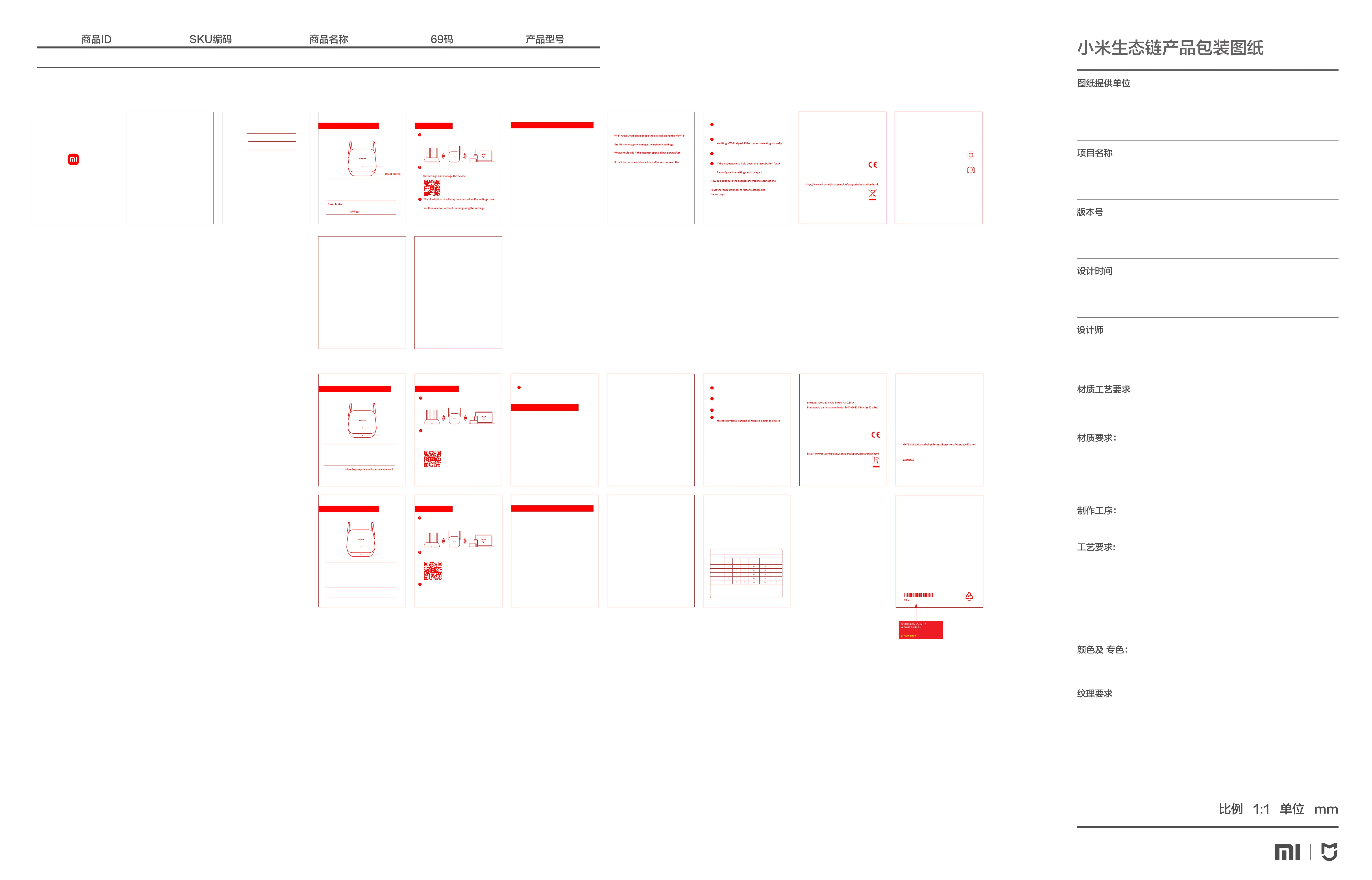
K+1专
小米生态链
MD10 US说明书
V1
2024-01-23
色相正确、印迹牢固、
套印准确、各色套印
不露杂色,套印误差≤ 0.1mm
(示例,具体以产品要求为准)
模切走位≤±0.5mm
80g 品旺双胶纸
胶装
印刷+模切+胶装
RD10MDVB4416US
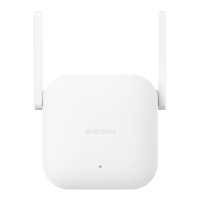
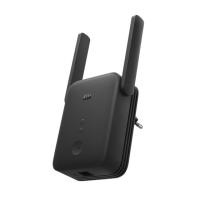
Xiaomi WiFi Range Extender N300 US
55093 6941948702134
El repetidor se ha diseñado para reforzar la señal de una
red Wi-Fi existente. Antes de configurar el repetidor,
determine qué res necesita ampliar y asegúrese de que
conoce la contraseña de Wi-Fi. Los repetidores funcionan
de forma similar a una carrera de relevos: el router
principal y el repetidor son los participantes de la carrera,
mientras que la señal Wi-Fi es el testigo que se pasa entre
cada participante. Los dispositivos conectados (por
ejemplo, su smartphone u ordenador) son la línea de
meta. Los participantes recogen el testigo y lo llevan a la
línea de meta, permitiendo que la red Wi-Fi cubra un área
más amplia. Cuantos más repetidores agregue a la red,
mayor será el alcance de esta.
¿Cómo amplía el Xiaomi WiFi Range Extender N300 el
alcance de mi red Wi-Fi?
Si utiliza el repetidor junto con el router Mi Wi-Fi, puede
gestionar la configuración con la aplicación Mi Wi-Fi. Si
utiliza otro router, puede descargar la aplicación Mi Home
para gestionar la configuración de red.
¿Cómo puedo gestionar el Xiaomi WiFi Range Extender N300?
Si la velocidad de Internet se ralentiza tras conectar el
repetidor, puede que haya interferencias en la red. Abra la
aplicación Mi Wi-Fi o Mi Home y compruebe el estado del
repetidor. Si la aplicación indica que la señal es deficiente,
acerque el repetidor al router y vuelva a intentarlo.
¿Qué debo hacer si la velocidad de Internet se ralentiza
tras conectar el Xiaomi WiFi Range Extender N300?
Abra la aplicación Mi Wi-Fi o Mi Home y compruebe el
estado del repetidor. A continuación, siga estos pasos de
resolución de problemas:
¿Qué debo hacer si el Xiaomi WiFi Range Extender N300
deja de funcionar correctamente?
Restablezca el repetidor a los valores predeterminados de
fábrica y vuelva a ajustar la configuración.
¿Cómo puedo configurar los ajustes si deseo conectar el
repetidor a una nueva red Wi-Fi?
Si la señal es deficiente, mueva el repetidor a otra
ubicación en la que no haya obstáculos grandes entre
el repetidor y el router.
Si el repetidor está desconectado, compruebe que el
router emite una señal Wi-Fi. Si el router funciona con
normalidad, reinicie el repetidor y vuelva a intentarlo.
Compruebe si el router ha incluido el repetidor en la
lista negra.
Si el problema persiste, mantenga pulsado el botón de
que el indicador amarillo esté fijo. Ajuste de nuevo la
configuración y vuelva a intentarlo.
1
2
3
4
Acerca de este product
Indicador
Botón de
restablecimiento
El Xiaomi WiFi Range Extender N300 se ha diseñado para
ampliar el alcance de su red Wi-Fi doméstica.
Indicador Azul fijo (funcionamiento normal)
Azul intermitente (actualización en curso)
Amarillo fijo (puesta en marcha)
Amarillo intermitente (esperando para inicializar)
Rojo intermitente (fallo de hardware)
Botón de resta-
blecimiento
segundos para restaurar los valores
predeterminados de fábrica.
Español
Coloque el repetidor cerca del router. Conéctelo a la fuente
de alimentación y espere a que el indicador amarillo
empiece a parpadear.
Escanee el código QR o visite Mi App Store/Apple App Store
para descargar la aplicación Mi Home. Abra la aplicación Mi
Home y siga las instrucciones o toque "+" para agregar el
Xiaomi WiFi Range Extender N300 y siga las instrucciones
que aparecen en pantalla.
Installazione
El indicador azul se mantendrá fijo cuando se hayan
configurado los ajustes. A continuación, podrá mover el
repetidor a otra ubicación sin volver a configurar los
ajustes.
3
Preguntas frecuentes
12
14
16
Español
Español
Español
Español
13
15
Español
Español
Precaución:
El producto se puede utilizar en todos los países de la Unión Europea
(BE/FR/DE/IT/LU/NL/DK/IE/GB/GR/PT/ES/AT/FI/SE/-
CY/CZ/EE/HU/LV/LT/MT/PL/SK/SI/BG/RO/HR).
Con el objetivo de cumplir los requisitos de exposición a radiofrecuencias
más del cuerpo de la persona.
La clavija se utiliza como dispositivo de desconexión. Los equipos con
enchufe deben instalarse cerca de la toma de corriente y ser fácilmente
Fabricado por: Beijing Xiaomi Electronics Co., Ltd.
#802, 8th Floor, Building 5, No. 15 10th Kechuang Street,
Beijing Economic-Technological Development Area, Beijing,
China, 100176
Nombre: Xiaomi WiFi Range Extender N300
Modelo: RD10M
Temperatura de funcionamiento: 0~40°C
Nota: El consumo de energía de la red en espera es 1,3 W si
todos los puertos de red cableados están conectados y todos
los puertos de red inalámbricos están activados.
Por la presente, Beijing Xiaomi Electronics Co., Ltd.
declara que el tipo de equipo radioeléctrico RD10M
cumple con la Directiva 2014/53/UE, la Directiva
2011/65/UE y la Directiva 2009/125/CE. Encontrará el texto
completo de la declaración de conformidad de la UE en esta
dirección de Internet:
Todos los productos en los que aparece este símbolo
de clasificación selectiva para residuos de aparatos
eléctricos y electrónicos (RAEE, como se define en la
11
17
Certificaciones:
Especificaciones:
Directiva 2012/19/UE) no se deben mezclar con residuos
domésticos sin clasificar. En su lugar, para proteger la salud
humana y el medioambiente, debe llevar este tipo de equipos
a un punto de recogida designado para el reciclaje de equipos
electrónicos y eléctricos, según lo especifiquen las
autoridades locales. El correcto desecho y reciclaje ayudará a
evitar posibles consecuencias negativas para el medioambi-
ente y la salud humana. Póngase en contacto con el
instalador o las autoridades locales para obtener más
información sobre la ubicación del punto de recogida, así
como sobre los términos y condiciones de dichos puntos.
指示燈
重設按鈕
22
20
19
21
18
3
關於本產品
小米 WiFi 訊號延伸器 N300 可用於延伸您家用 Wi-Fi 網路
的範圍。
指示燈 恆亮藍色 (正常運作中)
閃爍藍色 (更新進行中)
恆亮黃色 (開啟中)
閃爍黃色 (等待初始化)
閃爍紅色 (硬體故障)
重設按鈕
按住至少 5 秒鐘,即可還原至原廠
設定。
中文繁體
中文繁體
將訊號延伸器置放於需要更強訊號的地方。接著,將
訊號延伸器連接至電源供應器,並等待黃色指示燈開
始閃爍。
掃描 QR 碼以下載米家應用程式,並依照應用程式內
的指示來進行設定與管理裝置。
設定完成後,藍色指示燈將會恆亮。您可以將訊號
延伸器移動到其他位置,且無須重新進行設定。
安裝
網路延伸器可增強現有 Wi-Fi 網路訊號的強度。在設定訊號延伸器之前,請先
研判您需要延伸哪一個網路,並確認您知道該網路的 Wi-Fi 密碼。訊號延伸器
的運作方式有如接力賽跑:主路由器與訊號延伸器是接力跑者,而 Wi-Fi 訊號
則是傳遞於跑者之間的接力棒。連線裝置 (例如您的智慧型手機或電腦) 則可
視為此接力賽跑的終點線。跑者接起接力棒,並將接力棒傳遞至終點線,使
Wi-Fi 網路涵蓋區域擴大。新增至網路的延伸器愈多,網路範圍就愈大。
小米 WiFi 訊號延伸器 N300 如何延伸我的 Wi-Fi 網路範圍?
FAQ (常見問題集)
若將訊號延伸器與 小米 Wi-Fi 路由器搭配使用,您可以透過 下載米家應用
程式來管理網路設定。
在連接訊號延伸器之後,若網際網路速度降低,代表網路上可能有干擾。請
開啟 米家應用程式並檢查訊號延伸器的狀態。若應用程式顯示訊號不良,請
將訊號延伸器移動至更靠近路由器的位置,然後再試一次。
我要如何管理小米 WiFi 訊號延伸器 N300?
在連接小米 WiFi 訊號延伸器 N300 之後,若網際網路速
度降低,我該怎麼辦?
中文繁體
請開啟米家應用程式並檢查訊號延伸器的狀態,然後依照下列疑難排解步驟
進行操作:
如果小米 WiFi 訊號延伸器 N300 停止運作,我該怎麼辦?
1. 若訊號不良,請將訊號延伸器移動至其他位置,使訊號延伸器與路
由器之間沒有大型障礙物。
2. 若訊號延伸器為離線,請確認路由器是否確實有發送 Wi-Fi 訊號。
若路由器正常運作,請重新啟動訊號延伸器並再試一次。
3. 確認訊號延伸器是否被列入路由器的黑名單內。
4. 若問題持續發生,請按住重設按鈕至少 5 秒,直到指示燈恆亮黃色
為止。接著,請重新進行設定,並再試一次。
5. 將電源插頭用作斷開裝置時,應保持隨時可以操作。
請將訊號延伸器重設回原廠設定,然後重新進行設定。
若我要將訊號延伸器連接至新的 Wi-Fi 網路,我該如何
進行設定?
中文繁體
規格:
名稱:小米 WiFi 訊號延伸器 N300
型號:RD10M
運作溫度:0~40℃
輸入:100~240VAC, 50/60Hz, 0.35A
運作頻率:2400MHz~2483.5MHz(≤20dBm)
中文繁體
3
低功率電波輻射性電機管理辦法
取得審驗證明之低功率射頻器材,非經核准,公司、商號或使用者均不得擅
自變更頻率、加大功率或變更原設計之特性及功能。低功率射頻器材之使用
不得影響飛航安全及干擾合法通信;經發現有干擾現象時,應立即停用,並
改善至無干擾時方得繼續使用。前述合法通信,指依電信管理法規定作業之
無線電通信。低功率射頻器材須忍受合法通信或工業、科學及醫療用電波輻
射性電機設備之干擾。
產品中有害物質的名稱及含量
限用物質及其化學符號
鉛
單元
汞 鎘
六價鉻 多溴聯苯
多溴二苯醚
電路板組件
塑膠(料)件
金屬零件
附件
電源供應器
產品名稱:小米WIFI訊號延伸器N300 ,型號(型式):RD10M
備考1.〝超出0.1 wt %〞及〝超出0.01 wt %〞係指限用物質之百分比
含量超出百分比含量基準值。
備考2.〝○〞係指該項限用物質之百分比含量未超出百分比含量基準值。
備考3.〝-〞係指該項限用物質為排除項目。
(Cr
+6
)(Pb) (Hg) (Cd) (PBB) (PBDE)
-
-
-
All images are for illustration purposes only and may
differ from the actual product by model and region.
List
English
2
Español
9
16
About this product
Indicator
The Xiaomi WiFi Range Extender N300 is designed to extend
the range of your home Wi-Fi network.
Indicator Constant blue (working normally)
Flashing blue (update in progress)
Constant yellow (switching on)
Flashing yellow (waiting to initialize)
Flashing red (hardware fault)
Press and hold for at least 5
seconds to restore factory
English
English English English
English
Place the range extender in a location where you require a
stronger signal. Connect it to the power supply and wait for
the yellow indicator to start flashing.
The range extender is designed to strengthen the signal
from an existing Wi-Fi network. Before configuring the range
extender, determine which network you need to extend and
ensure that you know the Wi-Fi password. Range extenders
work in a similar way to a relay race – the main router and
the range extender are the participants in the race, while
the Wi-Fi signal is the baton which is passed between each
participant. The connected devices (e.g. your smartphone
or computer) are the finish line. The participants pick up the
baton and deliver it to the finish line, allowing the Wi-Fi
network to cover a larger area. The more range extenders
you add to the network, the greater the network range.
If you use the range extender in combination with the Mi
app. If you are using a different router, you can download
range extender, there may be interference on the network.
Open the Mi Wi-Fi app or Mi Home app and check the range
extender status. If the app indicates that the signal is poor,
move the range extender closer to the router and try again.
Open the Mi Wi-Fi app or Mi Home app and check the range
extender status, and then follow the troubleshooting steps
below:
If the signal is poor, move the range extender to
another location where there are no large obstacles
between the range extender and the router.
If the range extender is offline, check that the router is
restart the range extender and try again.
Check whether the range extender was blacklisted by
your router.
least 5 seconds until the indicator is constant yellow.
How does the Xiaomi WiFi Range Extender N300 extend the
range of my Wi-Fi network?
How do I manage the Xiaomi WiFi Range Extender N300?
What should I do if the Xiaomi WiFi Range Extender N300
stops working?
reconfigure
range extender to a new Wi-Fi network?
connect the Xiaomi WiFi Range Extender N300?
Scan the QR code to download the Mi Home App/Xiaomi
Home App and follow the in-app instructions to configure
been configured. You can then move the range extender to
3
1
2
3
4
Installation
FAQs
(frequently asked questions)
English English
8
9 10
2
3
4
5
6
7
Specifications:
Name: Xiaomi WiFi Range Extender N300
Model: RD10M
Operating Temperature: 0~40°C
Input: 100~240VAC, 50/60Hz, 0.35A
Operating Frequency: 2400MHz~2483.5MHz(≤20dBm)
Note:The network standby power consumption is 1.3 W ,if
all wired network ports are connected and all wireless
network ports are activated.
Hereby, Beijing Xiaomi Electronics Co., Ltd.
declares that the radio equipment type RD10M is in
compliance with Directive 2014/53/EU, Directive
2011/65/EU and Directive 2009/125/EC. The full text
of the EU declaration of conformity is available at
the following internet address:
This equipment is a Class II or double insulated
electrical appliance. It has been designed in such a
way that it does not require a safety connection to
electrical earth.
All products bearing this symbol are waste
electrical and electronic equipment (WEEE as in
directive 2012/19/EU) which should not be mixed
with unsorted household waste. Instead, you should
protect human health and the environment by handing
over your waste equipment to a designated collection point
Caution:
The product can be used within all European Union
countries (BE/FR/DE/IT/LU/NL/DK/
IE/GB/GR/PT/ES/AT/FI/SE/-
CY/CZ/EE/HU/LV/LT/MT/PL/SK/SI/BG/RO/HR).
To comply with CE RF exposure requirements, the device
must be installed and operated 20cm (8 inches) or more
between the product and all person’s body.
The mains plug is used as disconnect device. The pluggable
equipment shall be installed near the socket-outlet and shall
be easily accessible.
Manufactured by: Beijing Xiaomi Electronics Co., Ltd.
#802, 8th Floor, Building 5, No. 15 10th Kechuang Street,
Beijing Economic-Technological Development Area, Beijing,
China, 100176
Certifications:
for the recycling of waste electrical and electronic
equipment, appointed by the government or local
authorities. Correct disposal and recycling will help prevent
potential negative consequences to the environment and
human health. Please contact the installer or local
authorities for more information about the location as well
as terms and conditions of such collection points.
中文繁体
FCC Statement
This equipment has been tested and found to comply with the
limits for a Class B digital device, pursuant to part 15 of the
FCC Rules. These limits are designed to provide reasonable
protection against harmful interference in a residential
installation. This equipment generates, uses and can radiate
radio frequency energy and, if not installed and used in
accordance with the instructions, may cause harmful
interference to radio communications. However, there is no
guarantee that interference will not occur in a particular
installation. If this equipment does cause harmful interference
to radio or television reception, which can be determined by
turning the equipment off and on, the user is encouraged to
try to correct the interference by one or more of the following
measures:
—Reorient or relocate the receiving antenna.
—Increase the separation between the equipment and
receiver.
—Connect the equipment into an outlet on a circuit different
from that to which the receiver is connected.
—Consult the dealer or an experienced radio/TV technician
for help.
FCC Radiation Exposure Statement
This device complies with FCC radiation exposure limits set
forth for an uncontrolled environment and it also complies
with Part 15 of the FCC RF Rules. This equipment must be
installed and operated in accordance with provided
instructions and the antenna(s) used for this transmier
must be installed to provide a separation distance of at
least 20 cm from all persons and must not be co-located or
operating in conjunction with any other antenna or
transmier. End-users and installers must be provided with
antenna installation instructions and consider removing the
no-collocation statement.
15.19
This device complies with Part 15 of the FCC Rules.
Operation is subject to the following two conditions:
(1) this device may not cause harmful interference, and
(2) this device must accept any interference received,
including interference that may cause undesired operation.
15.21 / KDB784748 D01 v08 (P4)
Caution!
Any changes or modifications not expressly approved by the
party responsible for compliance could void the user's
authority to operate the equipment.


 To Previous Page
 Loading...